



Introduction
Adobe Firefly is easiest to understand not as a single video model, but as Adobe’s generative layer for a production system that already spans ideation, asset creation, editing, and delivery. That distinction is the main reason Firefly can be a better purchase than its raw-video ranking suggests, and why it can still be the wrong purchase for someone who only wants the strongest possible five-second clip.
Adobe itself was founded in 1982 by John Warnock and Charles Geschke, as documented in Adobe history. They created the company around PostScript and digital publishing. They are Adobe’s founders; it would be inaccurate to call either one the “founder of Firefly.” Firefly was launched by Adobe’s product, research, and engineering teams in March 2023 as a family of generative-AI models, initially focused on images and text effects and trained on Adobe Stock, openly licensed material, and public-domain content, according to Adobe’s launch announcement. Adobe introduced its first Firefly Video Model in a limited public beta in October 2024, according to its video announcement, and opened Generate Video more broadly in February 2025.
The latest documented native video foundation model available by our cutoff was Adobe Firefly Video Model 2. Adobe’s August 2026 transparency summary dates its placement on the EU market to August 20, 2026, while Adobe’s editing documentation exposed it as “Firefly Video 2 (Preview)” in Prompt to Edit Clip. That wording matters. The standard Generate Video interface and help pages still often said simply “Firefly Video,” so buyers should not assume every Firefly video workflow had already moved to a uniformly labeled, fully mature version 2 release. The Model 2 report and editing guide are the clearest primary sources for its identity and preview status.
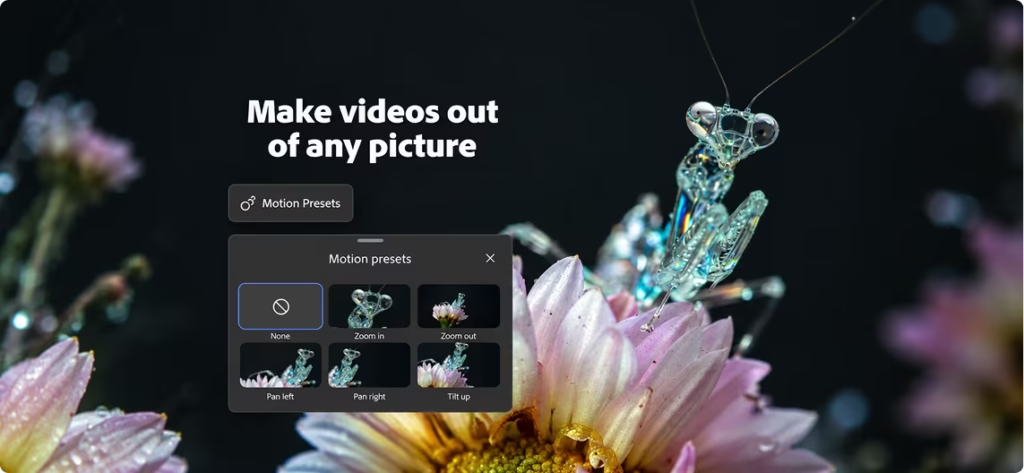
Firefly’s journey into video has been fast. The original public beta generated five-second, 1080p clips at 24 frames per second; at launch, The Verge reported waits of about 90 seconds. By 2026, Adobe had added first-and last-frame image guidance, composition and camera-motion references, camera controls, transparent backgrounds, prompt-based clip editing, upscaling, a browser video editor, and direct Premiere Pro workflows. Adobe also turned Firefly into a multi-model interface, letting subscribers use selected partner models alongside Adobe’s own. That breadth is commercially useful, but it can blur an important distinction: a clip generated through Firefly is not necessarily generated by an Adobe model, and partner-model pricing, output rights, and safeguards can differ.
An Adobe usage report said in February 2025 that users had generated more than 18 billion assets with Firefly in under two years. That is a large usage figure, but it covers Firefly output across modalities, not video subscribers. Adobe had not publicly disclosed a Firefly-specific subscriber, paid-user, or active-user count by September 13, 2026. A broader creator survey of more than 16,000 people found that 75% of respondents who used creative AI considered it integrated into or essential to their work, but that is category-level evidence, not a Firefly adoption number.
This context helps explain Firefly’s place in our scorecard. Against Google Veo/Flow, Seedance, Higgsfield AI, Wan 3.0, and Runway, Adobe is not our raw-generation winner. It is the most complete professional workflow in the group. Whether that distinction is worth paying for depends on what happens after a clip is generated.
Performance
Our team scored Firefly 9.05 out of 10, placing it fifth among the six generators in this evaluation. That is a strong absolute result, but the ranking exposes a real tradeoff: Adobe earned a field-leading 10.0 for Features & Usability, while its 8.8 for Video Quality and 8.8 for Prompt Accuracy were the lowest scores in this particular group. Those two weaker factors account for 45% of the total weighting, so excellent workflow design could not fully offset the raw-output gap.
Our scorecard is a weighted research and testing framework, not an official industry ranking. A difference of 0.2 points is not a claim that one model succeeds 2% more often, and rankings can change with the prompt set, workflow, and model release. The value of the scorecard is that it makes our priorities explicit.
| Evaluation Factor | What It Measures | Weight |
|---|---|---|
| AI Intelligence | Creative intent, context, complex instructions, references, and multi-turn reasoning | 15% |
| Speed | Time and consistency from request to usable video or revision | 10% |
| Video Quality | Realism, motion quality, physics, temporal consistency, anatomy, composition, detail, cinematic polish, and native audio quality | 25% |
| Prompt Accuracy | Fidelity to subjects, placement, colors, text, exclusions, and other constraints | 20% |
| User Rating | Weighted public satisfaction from credible review platforms | 10% |
| Review Confidence | Authenticity, volume, relevance, recency, and source diversity | 5% |
| Features & Usability | Editing, controls, resolution, consistency, workflow, access, and learning curve | 15% |
What the latest Firefly video model actually delivers
Adobe’s native Generate Video workflow supported text-to-video and image-to-video at 540p, 720p, or 1080p, 24 fps, in 16:9, 9:16, or 1:1. Native outputs were five seconds long. Firefly could use a first frame, an optional last frame, a composition-reference video, or a motion-reference video; for motion references, Adobe accepted five- to ten-second source clips under 200 MB but used only the first five seconds. The interface also offered shot sizes, camera angles, camera movements, style presets, seeds, and transparent-background generation. Adobe’s composition-reference guide, motion-reference guide, and image-to-video guide document those limits and controls.
The practical limitation is as important as the feature list. Five seconds is enough for a product insert, establishing shot, transition, social loop, or piece of B-roll; it is not a finished scene. Native generation stopped at 1080p. Adobe’s 4K upscaler could export higher-resolution video, but an upscale is not the same thing as native 4K generation, and it cannot restore motion or anatomical information the model never created.
The native Firefly Video workflow also did not document synchronized dialogue, ambience, and music as part of the initial video render. Sound effects could be generated and added afterward, and Adobe’s editor supported separate music and speech tools. Certain partner models available through Firefly could generate synchronized audio. That means “Firefly supports audio” is true at the platform level, but potentially misleading if read as “Firefly Video Model 2 natively creates a finished audiovisual shot.”
AI intelligence and prompt accuracy: capable, but not the safest choice for a rigid brief
The 9.0 AI Intelligence score covers whether a system understands creative intent and context, follows complex instructions and references, and handles iterative or multi-turn reasoning. Firefly is highly capable, but it ranked last on this factor in our six-tool field: Google scored 9.6, Seedance 9.9, Higgsfield 9.3, Wan 3.0 9.8, and Runway 9.4.
In practice, the gap matters most when a prompt contains several interacting requirements. A creator specifying an exact subject count, wardrobe color, foreground and background positions, camera path, exclusions, and a reference look has more ways to lose fidelity than someone asking for a mood-driven landscape. Firefly’s reference and camera tools help by moving some instructions out of prose and into explicit controls. That is good product design. It does not, however, make the underlying model the strongest reasoner in our test group.
The same pattern appears in Prompt Accuracy at 8.8, also the group’s lowest score. We assessed fidelity to subjects, placement, colors, text, exclusions, and other constraints. A score of 8.8 does not mean Firefly routinely ignores prompts. It means that, relative to five unusually strong competitors, it created more risk of rerolls or manual cleanup when the brief was exact. That is consequential for product shots, branded color palettes, multi-character blocking, and scenes where an excluded object must stay out. It is much less consequential for exploratory ideation, where several plausible interpretations may all be useful.
Prompt to Edit Clip is an important response to this weakness. Instead of regenerating an entire idea, users can describe an object to add or remove, change a background, or alter details. It makes correction cheaper and more direct. Because Firefly Video 2 was still marked Preview and had been publicly documented for less than a month at our cutoff, independent Model 2-specific testing remained sparse. We therefore treat the feature as promising workflow evidence, not proof that the model had eliminated adherence errors.
Video quality: polished enough for production support, behind the raw leaders
Video Quality carries our largest weight, 25%, and covers realism, motion, physics, temporal consistency, anatomy, composition, detail, cinematic polish, and native audio quality. Firefly’s 8.8 was below Google and Seedance at 9.8, Higgsfield at 9.5, Wan 3.0 at 10.0, and Runway at 9.2.

What would a creator notice? Firefly can make attractive, well-composed short shots, especially when an input image and camera instruction constrain the problem. The score suggests less headroom on the failure-prone parts of video generation: keeping faces, hands, objects, lighting, and backgrounds stable while the camera or subject moves; maintaining believable physics; and preserving detail through a full shot. Because anatomy, temporal consistency, and motion all sit inside this factor, a single glossy frame cannot carry the score.
Independent reporting broadly supports that caution, although most published testing predates Model 2. At the first video-model launch, The Verge observed examples with unstable cables and shifting backgrounds. After a 2025 update, a CineD review found smoother motion and useful composition-reference controls, while still noting short clips, compression artifacts, limited match-moving precision, and rough generated Foley. Those findings should not be misrepresented as a benchmark of August 2026’s preview model. They do show why Adobe’s claims and a polished demo are insufficient on their own: recurring temporal defects often appear only across varied prompts and motion types.
Firefly is strongest when generation is one production ingredient rather than the final deliverable. A director can use it for previsualization, a designer can animate a still, and an editor can generate an insert and then trim, grade, composite, upscale, or replace it. If the job is simply “give me the most convincing raw clip,” our quality scores favor every other model in the comparison.
Speed: fast enough to iterate, without a category lead
Firefly scored 9.2 for Speed, tied with Higgsfield, behind Google at 9.6 and Wan 3.0 at 9.4, and ahead of Seedance at 8.8 and Runway at 8.7. We measured not only render time, but also the consistency of getting from a request to a usable output or revision. That distinction prevents a model with a fast first render but frequent rerolls from looking artificially efficient.
Adobe did not publish a dependable generation-time service level for every resolution, model, and queue condition. When the public beta opened in February 2025, a Verge report put generation at roughly 90 seconds; that is a historical baseline, not a 2026 promise. In our evaluation, the 9.2 means Firefly supported a productive iteration loop, but its lower prompt and quality scores can still add effective time when a usable shot requires another generation.
Features and usability: the reason Firefly remains a serious contender
Adobe earned 10.0 for Features & Usability, tied with Runway and ahead of Google at 9.9, Seedance at 9.8, Higgsfield at 9.9, and Wan 3.0 at 9.6. This factor covers editing, controls, resolution, consistency, workflow, access, and learning curve. It is where Firefly changes the buying question from “Which model makes the prettiest clip?” to “Which system gets the shot into finished work with the least friction?”
The web app combines generation, a timeline editor, Boards, audio tools, and partner models. Generated clips can be opened in Firefly’s editor or sent to Premiere Pro. By September 8, 2026, Adobe had also announced a Premiere tool for creating editable video and sound effects in timeline context using Firefly and selected partner models. Existing Adobe users also gain familiar asset handoffs across Creative Cloud, though the depth of direct Firefly video generation is greatest in Firefly and Premiere; it should not be described as identical in Photoshop, After Effects, and Express.
Adobe’s commercial-use positioning is another feature, not a guarantee. The company says native Firefly models are trained on licensed material, public-domain content, and other data it has permission to use. Its Model 2 transparency report says Adobe did not crawl the web for the training set and did not use customer prompts, outputs, or interaction data for training; it describes a mixture of licensed, permissively licensed, public-domain, private, and synthetic data. Native Firefly outputs also receive Content Credentials. These policies reduce one kind of training-data uncertainty, especially for enterprise teams. They do not clear a user’s uploaded source image, a celebrity likeness, a trademark, or every downstream use. Partner models inside Firefly have their own terms, and Adobe explicitly tells users to assess them separately.
Ratings, review evidence, and what users complain about
Firefly received 8.3 for User Rating, the second-highest result in our field after Google’s 8.8. That number is our weighted public-satisfaction factor; it is not a conversion of a five-star marketplace rating. Its 9.8 Review Confidence was also second, narrowly behind Higgsfield’s 10.0. Review Confidence measures authenticity, volume, relevance, recency, and source diversity rather than sentiment.
| Product | Source used | Public Rating | Votes & Reviews |
|---|---|---|---|
| Google Flow/Veo | Google Play Store | 4.6/5 | 43.4M+ reviews |
| Seedance | Not Available | 4.1/5 | No Strong Standalone Authentic Review Score Yet. |
| Higgsfield | G2 | 4.5/5 | 84+ reviews |
| Wan 3.0 | Not Available | Not Available | No Strong Standalone Authentic Review Score Yet. |
| Adobe Firefly | Google Play Store | 4.4/5 | 29.7K + reviews |
| Runway | App Store | 4.5/5 | 15K + reviews |
TrustRadius’s 8.3/10 and our internal User Rating score of 8.3 happen to match numerically, but they are different measures. TrustRadius is one platform’s native score; ours is a weighted evaluation of public satisfaction evidence.
The Google Play range needs explanation. Our scorecard snapshot, the figure used for the primary weighting, recorded 4.4/5 from 29.7K+. A separate cutoff capture showed roughly 29.5K at the top level. Google can round or surface different device-context totals, so “about 29.5K–29.7K ratings” is more defensible in the evidence table than false precision. The number is also a ratings total, not a claim that every rater wrote a review.
The ratings are less contradictory than their 1.8-to-5.0 range suggests. The 5.0 has one review and the 1.8 has 23; neither should outweigh G2, TrustRadius, or tens of thousands of app-store ratings. The substantial professional sources are broadly favorable on their native scales, from 8.3/10 on TrustRadius to 4.5/5 on Capterra, while the two large app stores are more positive still. We did not convert TrustRadius to five stars or average unlike sources into a synthetic public score, because that would imply comparability that their methods do not support.
Written feedback is more valuable than the spread alone. G2 and TrustRadius reviewers repeatedly praise Firefly’s approachable interface, Adobe integration, ideation, and ability to move generated assets into a familiar workflow. The recurring negatives are weaker prompt interpretation, inconsistent results, repeated generations, credit complexity, and the sense that Adobe’s native models trail the strongest alternatives. TrustRadius’s video-relevant reviews specifically point to useful storyboarding and reference-image clips while asking for better realism, audio, speed, and native-model competitiveness. Trustpilot’s small but recent complaint set concentrates the harsher versions of the same issues: failed generations, credit deductions, filters, and subscription frustration.
No source in the table is a clean rating of Firefly Video Model 2 alone. G2’s listing sits in an AI Image Generators category, TrustRadius covers the broader Firefly product, and both app stores combine image, video, audio, editing, and mobile reliability. That limitation explains how our review evidence can justify a high 9.8 confidence score about Firefly as a product while remaining only indirect evidence about the latest video model. Google Play carried the most weight because it combined the largest Firefly-specific sample with marketplace verification, recency, and enough written feedback to inspect the number. G2 provided the strongest professional-software cross-check, TrustRadius added vetted review depth, and Apple supplied a second large consumer sample. We excluded Adobe-company ratings, duplicated Gartner Digital Markets pools, and opaque aggregates; other public ratings are not automatically wrong, but they answer this research question less cleanly.
The credit economics are harsher at 1080p
Firefly pricing looks simple until resolution is included. Adobe’s generative-credit table charged the native Firefly Video Model at 20 credits per second for 540p, 50 for 720p, and 100 for 1080p, all at 24 fps. A five-second clip therefore costs 100, 250, or 500 credits. Credits reset monthly and do not roll over; failed jobs are generally refunded, although Adobe says video refunds can occasionally take up to 24 hours. Partner-model rates vary and can be higher.
Adobe advertised Standard, Pro, and Pro Plus as supporting up to 20, 40, and 100 five-second videos. The credit math shows those maxima assume 540p. At 1080p, the same allowances produce four, eight, and twenty first-pass clips. A shot that takes three attempts costs three times as much, so the meaningful unit is cost per usable generation, not cost per click.
The free tier is worth adding to the decision tree because it gives limited daily image, video, and audio generations without a subscription. It is a sensible interface and prompt test, but Adobe did not promise a stable monthly video quota, so it cannot support production planning.
As of the cutoff, Adobe’s Firefly plans listed first-year prices of $34.97/month for Pro Plus and $139.91/month for Premium for eligible new U.S. subscribers. The offer terms ran from May 21 through October 21, 2026, required a 12-month commitment, and moved renewal to the then-current regular price, then $49.99 or $199.99 per month. Prices, taxes, promotions, and plan names can vary by country.
The new promotional-model detail materially improves Pro Plus—but only for the right workflow. Adobe’s September 10 unlimited-generations offer page listed Kling 2.5 Turbo among the selected video models covered by Pro Plus for the first year. Premium added higher-tier promotional access including Veo 3.1 Fast and Kling 3.0, while separately retaining unlimited use of Adobe’s native Firefly Video Model in Generate Video. These allowances use no credits, but they are available only in the Firefly web and mobile apps, not Premiere or other desktop applications. Adobe also says included models and resolutions can change, and that queueing, speed controls, or other safeguards may be introduced. After the first year, generations return to normal credit consumption.
That distinction prevents two misleading conclusions. Pro Plus does not make every video model unlimited, and its highlighted unlimited video option is a partner model rather than blanket unlimited use of Adobe’s native model. Conversely, valuing Pro Plus only as 10,000 metered credits understates the promotion for someone willing to use Kling inside Firefly.
For a serious individual who expects ongoing image and video work, Firefly Pro Plus at the $34.97 promotional price is now our best-value recommendation, provided that person accepts the annual commitment and can use the web or mobile workflow. It supplies 2.5 times Pro’s credits for about 1.75 times its monthly price, reducing the headline cost from roughly $5.00 to $3.50 per 1,000 included credits before the unlimited selected-model benefit. At the regular $49.99 price, its credit-unit economics are essentially the same as Pro, so the promotion and included models are what make the first year attractive.
The recommendation is not universal. Firefly Pro at $19.99 month-to-month remains the safer starting plan for a new buyer: 4,000 credits, Express Premium, and Photoshop on web and mobile are enough to measure real usage without a cancellation obligation. Standard fits occasional 540p concepts, but four first-pass 1080p clips per month is restrictive. Premium is rational for a high-volume user who specifically values unlimited native Firefly video, needs 50,000 credits, or will exploit its selected premium partner models; it costs $1,259.28 more than promotional Pro Plus in the first year, so the workload has to be substantial.
Creative Cloud changes the calculation. Adobe’s Creative Cloud pricing sets the Pro plan at $69.99 per month on an annual, billed-monthly U.S. basis and includes 4,000 generative credits plus more than 20 desktop apps. If a reader already needs Premiere Pro, After Effects, Photoshop, and Illustrator, those included credits should be used before adding a standalone Firefly subscription. If the need is only video generation, paying for the full suite is hard to justify on credits alone.
The monthly-versus-yearly decision now has a concrete break-even test. Promotional Pro Plus saves $180.24 against paying its $49.99 regular monthly price for a year, but it still costs $179.76 more than keeping Pro for twelve months. The upgrade earns its keep only if the extra 6,000 monthly credits, unlimited selected models, or production time saved are worth at least that difference. A new user should use the free tier and then a month-to-month Pro cycle before accepting the annual offer. AI video models and Adobe’s own promotional model list are changing too quickly to treat twelve months as a trivial commitment.
An existing Creative Cloud customer should first test with the included 4,000 credits; the unlimited-model promotion is not automatically attached to a Creative Cloud entitlement, and Adobe said a qualifying credit subscription was required. Teams were excluded from the individual unlimited-generation promotion and faced annual, billed-monthly Firefly plans, so their case for annual billing should rest on stable demand, administrative needs, and workflow savings, not the consumer promotion. Under Adobe’s cancellation terms, an annual plan billed monthly could carry a charge equal to 50% of the remaining contract obligation after the refund window, subject to regional differences. Standard and Pro had no separate discounted annual individual rate, so neither offered a price-based reason to surrender month-to-month flexibility.
Comparisons Before You Buy
Our top-six table makes Adobe’s position unusually clear. Firefly is only 0.12 points behind Wan 3.0 and 0.26 behind Higgsfield, but 0.64 behind Google. It also leads Runway by 0.16. Those are useful directional gaps, not laboratory error bars.
| Product | Overall Score | AI Intelligence | Speed | Video Quality | Prompt Accuracy | User Rating | Review Confidence | Features & Usability | Best For |
|---|---|---|---|---|---|---|---|---|---|
| Google Veo/Flow | 9.69 | 9.6 | 9.6 | 9.8 | 9.8 | 8.8 | 9.4 | 9.9 | Overall AI video generation company |
| Seedance | 9.36 | 9.9 | 8.8 | 9.8 | 9.8 | 7.1 | 8.0 | 9.8 | Controlled cinematic storytelling |
| Higgsfield AI | 9.31 | 9.3 | 9.2 | 9.5 | 9.2 | 8.0 | 10.0 | 9.9 | Full AI filmmaking platform |
| Wan 3.0 | 9.17 | 9.8 | 9.4 | 10.0 | 9.7 | 7.0 | 3.5 | 9.6 | Raw video-generation model |
| Adobe Firefly | 9.05 | 9.0 | 9.2 | 8.8 | 8.8 | 8.3 | 9.8 | 10.0 | Professional video production workflow |
| Runway | 8.89 | 9.4 | 8.7 | 9.2 | 9.4 | 4.5 | 9.5 | 10.0 | Dedicated creative AI video studio |
Seedance and Wan 3.0 make a more pointed case against Firefly. Seedance scored 9.8 for both Video Quality and Prompt Accuracy; Wan scored 10.0 and 9.7. Those gaps are meaningful when the source clip itself is the product—cinematic concepts, spectacle, motion-heavy shots, or footage that should survive with minimal rescue work. Seedance’s lower 8.8 speed score and Wan’s low 3.5 Review Confidence show the counterweights: a superior model score can come with slower iteration or thinner public evidence.
Higgsfield offers the closest alternative for people who want an end-to-end filmmaking environment rather than a bare model. It beat Adobe on intelligence, quality, and prompt accuracy, matched its 9.2 speed, and posted the group’s top Review Confidence score of 10.0. Adobe’s advantage is not a larger numerical score there; it is the value of existing Premiere and Creative Cloud habits, assets, collaboration, and procurement.
Runway is the interesting reversal. It scored above Adobe on AI Intelligence (9.4), Video Quality (9.2), and Prompt Accuracy (9.4), and tied Adobe’s 10.0 for Features & Usability. Yet its 4.5 User Rating score pulled its overall result to 8.89. A user who values a dedicated AI-video studio may still prefer Runway, but our research found a larger gap between capability and public satisfaction.
Adobe’s multi-model strategy complicates a simple head-to-head comparison in a useful way. Its partner-model documentation lets users select third-party generators inside Firefly rather than leaving the workspace. That can make Adobe the better interface even when an Adobe model is not the best generator. The caveats are variable credit consumption and different commercial terms; Firefly’s native-model training and commercial-use positioning should not be silently transferred to every partner output.
The buying decision can therefore be reduced to four practical questions:
- Do you want the strongest raw result? Our scorecard points first to Google overall, Seedance for controlled cinematic storytelling, and Wan 3.0 for raw generation.
- Do you want one AI-native filmmaking studio? Higgsfield and Runway deserve a direct trial; both outscored Firefly on the three model-centric factors.
- Do you finish work in Premiere or the Adobe ecosystem? Firefly’s 10.0 workflow score can save more time than a small raw-quality advantage, especially when clips need editing, grading, compositing, audio, approvals, and provenance.
- How many rerolls can your budget tolerate? At 500 credits per native 1080p attempt, a modest 4,000-credit plan disappears after eight first passes. Higher prompt accuracy can be economically valuable even when its subscription price looks similar.
There is no universal winner in those answers. Existing Adobe professionals should compare the whole path from prompt to delivery. A buyer starting from zero should not pay an ecosystem premium unless they will actually use the ecosystem.
Conclusion
Adobe Firefly’s strongest claim is not that Firefly Video Model 2 makes the best raw AI video. Our testing does not support that claim. It is that Adobe has built the most convincing bridge between generation and professional post-production in this six-product field.
The scorecard shows what a product demo can hide. Firefly’s perfect 10.0 for Features & Usability and 9.8 for Review Confidence sit beside group-low 8.8 scores for Video Quality and Prompt Accuracy. Its fifth-place 9.05 is therefore not a verdict that Firefly is weak; it is a warning that workflow breadth should not be mistaken for model supremacy. Exact briefs, difficult motion, stable anatomy, and first-pass fidelity remain the areas where competing generators created a stronger case.
Firefly is worth paying for if you already edit in Premiere, need governed creative tooling, value Adobe’s documented native-model training approach, or want generation, revision, sound, editing, and partner models in one account. A buyer whose sole priority is the highest-quality standalone clip should test Google Veo/Flow, Seedance, Higgsfield, or Wan 3.0 against the same prompts before committing. Runway remains relevant for a dedicated AI studio despite finishing below Adobe in our weighted result.
For a newcomer, our recommendation is the free tier followed by Firefly Pro month-to-month and a real workload test at 1080p—not a few 540p demos. For a serious recurring user who proves that 4,000 credits are insufficient, promotional Pro Plus is the best first-year value because 10,000 credits and selected unlimited partner models justify its extra $179.76 over twelve months of Pro. Use existing Creative Cloud credits before buying more, and move to Premium only when heavy native-video volume makes unlimited Firefly Video access financially justifiable. The annual offer should follow evidence from the buyer’s own pipeline, not create the obligation to find that evidence later.
Our 9.05 score is a researched evaluation built from stated weights, direct testing, public evidence, and a September 13, 2026 cutoff. It is not an official market ranking, and a different production brief can produce a different winner. The useful final question is not whether Firefly is “the best.” It is whether the time saved after generation is worth accepting a model that, in our comparison, still gives up ground during generation itself.
FAQ
If Firefly ranked fifth, why would a professional choose it over a higher-ranked generator?
Firefly’s 9.05 overall score does not mean it is inferior for every workflow. Its fifth-place result reflects the weighting of our methodology: Video Quality and Prompt Accuracy account for 45% of the total, and Firefly scored 8.8 in both, lower than every other generator in this comparison.
Adobe’s advantage appears after generation. Its 10.0 Features & Usability score reflects its editing controls, reference tools, partner-model access, and integration with Premiere Pro and Creative Cloud. An editor who expects to generate, trim, composite, grade, add audio, and manage approvals may finish faster with Firefly even if another model creates a better first-pass clip.
Choose Google Veo/Flow, Seedance, Higgsfield, or Wan 3.0 when raw output quality is the main requirement. Choose Firefly when generated footage must fit into an established Adobe production pipeline.
Does Firefly Pro Plus really provide unlimited AI video generation?
Only for selected models, resolutions, and workflows. Pro Plus includes 10,000 monthly credits, while Adobe’s first-year promotion also covered selected video models such as Kling 2.5 Turbo. That promotional unlimited access worked only through the Firefly web and mobile apps—not through Premiere Pro or other Adobe desktop applications.
It did not make every partner model unlimited, nor did it provide blanket unlimited access to Adobe’s native Firefly Video Model. Adobe also reserved the right to change eligible models, resolutions, processing speeds, and queue rules during the promotional period.
Firefly Premium is different: it includes 50,000 monthly credits and unlimited access to the native Firefly Video Model in Generate Video, subject to Adobe’s usage safeguards. After the promotional first year, selected partner-model generations return to normal credit consumption.
How many usable 1080p clips can the included credits realistically produce?
A native five-second Firefly video at 1080p consumes 500 credits: 100 credits per second multiplied by five seconds. Firefly Pro’s 4,000-credit allowance therefore pays for eight first-pass clips, while Pro Plus’s 10,000 credits pay for twenty.
Those figures are not the same as eight or twenty usable shots. If a difficult scene takes three generations before one version is acceptable, Pro produces roughly two complete usable shots with 1,000 credits remaining. Pro Plus produces roughly six, also with 1,000 credits remaining. Partner models, audio generation, and other premium features can consume the same monthly allowance.
This is why Adobe’s advertised “up to 40” or “up to 100” five-second videos can be misleading for production planning: those maxima assume 540p generation and no rerolls. Buyers should estimate credits using their intended resolution and expected rejection rate.
Why did Google Play receive the most weight when its rating is not video-specific?
Google Play received the greatest weight because it supplied the largest verified, Firefly-specific sample in our cutoff data: 4.4/5 from 29.7K+ ratings in the scorecard snapshot. Its size, recency, marketplace verification, and accompanying written feedback made it more resistant to distortion from a handful of unusually positive or negative reviewers.
The limitation is important. The Firefly mobile app combines image, video, audio, editing, and mobile-app performance, so its rating cannot be treated as a direct score for Firefly Video Model 2. We used G2 as the primary professional-software cross-check, TrustRadius for detailed vetted reviews, and Apple’s App Store as a second large consumer sample.
Google Play therefore carried the most weight in the User Rating factor, but it did not determine our Video Quality or Prompt Accuracy scores. Those came from our separate testing methodology.
Can Firefly-generated video be used safely in paid client work?
Native Firefly output is positioned more clearly for commercial production than many competing services. Adobe says its native models are trained using licensed, public-domain, permissively licensed, private, and synthetic material rather than indiscriminate web scraping. Native output also receives Content Credentials that can record its AI-generated origin.
That reduces training-data uncertainty, but it does not provide automatic legal clearance. A client must still review trademarks, recognizable people, protected characters, uploaded reference material, music, and any other third-party rights appearing in the final work.
The distinction becomes more important when using partner models inside Firefly. A video generated through the Firefly interface may come from Google, Kling, Runway, or another provider, whose terms and protections can differ from Adobe’s native-model terms. Professional teams should record which model created each asset, retain the applicable license terms, and conduct normal legal and brand review before publication.