


Introduction
Picture this: You’re putting together a marketing video. The visuals are ready. The story is taking shape. But you still need music that fits, a voiceover that sounds right, and a few sound effects to make everything feel alive. Wouldn’t it be easier if you could create all three without bouncing between a handful of different tools? That’s the idea behind Adobe Firefly’s growing audio capabilities.
What started as an AI image generator has become a broader creative production platform, bringing instrumental music, speech, sound effects, images, and video into one connected environment. For creators who work across multiple formats, that’s an appealing proposition.
But there’s a catch worth understanding before you subscribe: Creating audio for a project isn’t necessarily the same thing as creating a complete song. And having several audio tools under one roof doesn’t guarantee that every tool performs as well as a dedicated alternative.
Firefly comes from Adobe, the software company founded in 1982 by John Warnock and Charles Geschke. They founded Adobe itself, not Firefly specifically. The company first introduced Firefly on March 21, 2023, as a family of generative AI models centered on images and text effects. Its original launch announcement positioned it as a natural extension of Adobe’s established creative software.
Fast-forward to August 20, 2026. Adobe announced the general availability of Generate Music, Generate Speech, and Generate Sound Effects. That audio announcement marked an important turning point: Firefly was no longer primarily about what creators could see. It was increasingly about what audiences could hear, too.
What about paying customers? Adobe hasn’t publicly disclosed a reliable Firefly-specific subscriber count that we could verify as of October 8, 2026. Its September 2026 financial disclosures reported that Firefly’s ending annualized recurring revenue, across Firefly applications and credit packs, grew 40% quarter over quarter. That’s evidence of commercial momentum. It isn’t evidence of a particular number of paying Firefly subscribers. Nor should broader Adobe user figures be presented as such.
At Find Premium AI, we’ve spent years examining what AI tools can actually deliver—not just what their feature lists promise. Our research involved a 15-person team experimenting at different times, across different AI models, product versions, and real-world tasks related to Songs, Music, Audio & Voice. Alongside performance, we examined the available pricing plans and subscription tiers to understand which options made sense for different users and production needs.
We finalized our findings on October 6, 2026. Using seven weighted evaluation factors, we assessed six AI products. Adobe Firefly finished fifth, with an overall score of 6.82. That’s our independent research finding, not an official industry ranking. We also investigated public reviews and customer ratings through October 6, but those sources served as additional context rather than determining our placements.
And that’s the question we’ll explore throughout this review: Is Adobe Firefly worth buying for music, audio, and voice work? Not whether it’s a powerful creative brand. Not whether Adobe makes useful software. Whether Firefly can produce the sound you need, fit into the way you work, and justify what you pay.
Performance
Adobe Firefly’s biggest strength isn’t necessarily one spectacular audio feature. It’s the ability to bring several useful ones together. If you’re making a video, you might need instrumental music, a spoken introduction, atmospheric effects, and visual assets. Firefly gives you ways to handle those requirements within a connected Adobe environment.
That can save considerable effort. Still, convenience and creative quality are two different things. Our evaluation found Firefly more competitive in Features & Usability than in Music, Audio & Voice Quality or Prompt Accuracy. Here’s where that distinction becomes important.
Music generation: A soundtrack maker, not a songwriter
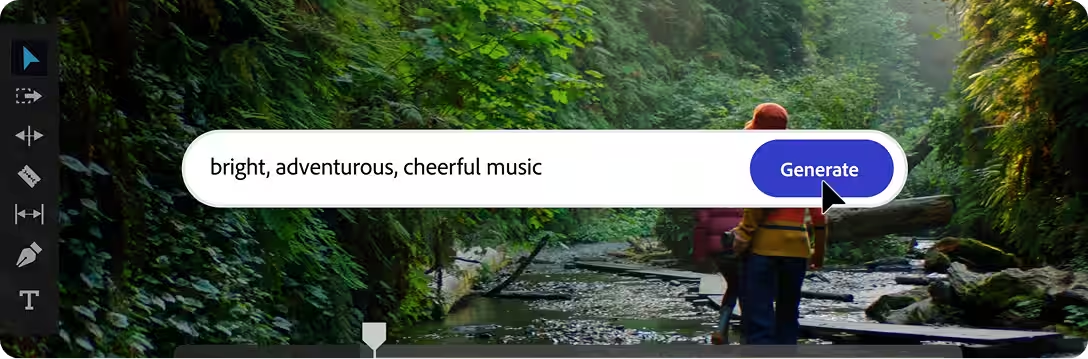
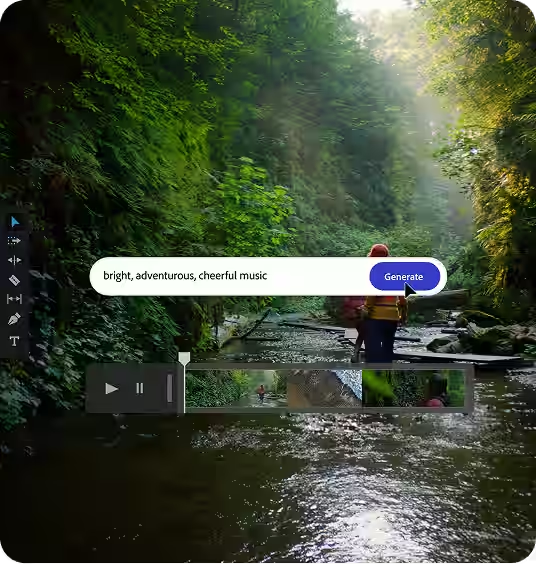
Let’s begin with the music. Generate Music, powered by the Firefly Music Model, became generally available on August 20, 2026. Its job is to create instrumental tracks based on the atmosphere, energy, style, and purpose a creator has in mind. Imagine you’re editing a travel video. You want something acoustic, gentle, and reflective, with enough movement to keep the footage engaging.
Or perhaps you’re producing a technology presentation and need a restrained electronic soundtrack that supports the visuals without competing with the narrator. Those are the kinds of requests Firefly is built to handle.
You can describe the desired mood and musical characteristics, adjust the tempo and duration, and generate variations. Adobe’s music instructions, updated August 11, 2026, describe a workflow in which creators can preview four generated options, refine their direction, and export a selected track in WAV format.
There’s also a video-based approach. Upload footage, and Firefly can suggest musical characteristics based on what it sees. You can then modify those suggestions to better match your creative intentions. That makes sense for editors who approach a soundtrack from the story or visuals first. But here’s the important boundary.
Adobe’s own music overview makes clear that Generate Music focuses on instrumental background music. It isn’t designed to generate sung vocals or write complete songs. If you’re hoping to create a finished pop track with lyrics, a lead singer, verses, and a chorus, Firefly isn’t offering the same kind of experience as a dedicated song generator such as Suno.
And although you can influence musical mood, tempo, and style, the documented workflow doesn’t provide the same depth of lyric revision, individual stem control, vocal arrangement, or section-by-section song development found in more specialized music platforms. Generated music can range from five seconds to five minutes. Longer productions may therefore call for additional arrangement or editing.
Language is another consideration. As documented in August 2026, Generate Music accepts English text prompts. So where does this leave Firefly? For an instrumental bed underneath a documentary, product video, presentation, or podcast introduction, it offers a practical starting point. For someone who wants to write, produce, and refine a complete vocal song, the limitations are harder to overlook.
Sound effects: Where Firefly becomes particularly useful
There are times when finding the right sound is surprisingly difficult. You need footsteps that match a character’s pace. Rain that feels close rather than distant. Or a mechanical impact that lands at precisely the right moment. A stock sound library might get you close. Firefly offers another route: Describe what you want and generate it.
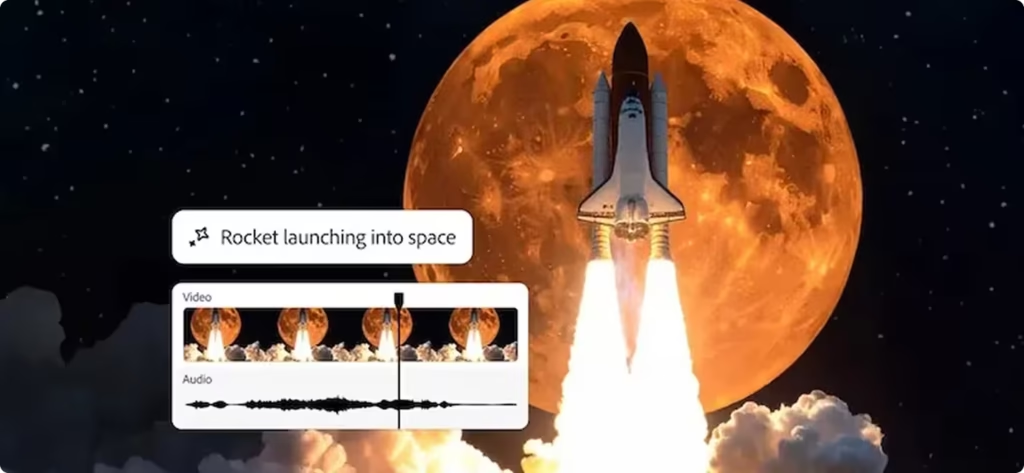
Generate Sound Effects uses the Firefly Audio Model to produce sounds such as environmental ambience, machinery, impacts, footsteps, and cinematic effects. But text prompting isn’t the entire story. One particularly interesting feature lets creators guide the sound with their own voices. You can record the rhythm, timing, or intensity you’re imagining, while a written prompt explains what the final effect should be.
Adobe’s voice guidance explains how that recording influences the generated effect. Think of an animator trying to synchronize several mechanical impacts with a moving object. Rather than manually positioning separate library sounds, they can demonstrate the intended rhythm and use that performance to guide generation.
That’s a useful bridge between an idea in someone’s head and the sound that ends up in the project. Adobe’s sound documentation, updated August 20, 2026, also describes uploading existing audio or video, combining generated effects on a timeline, previewing alternatives, and downloading the finished composition.
The web-based sound-effects workflow accepts supported media uploads of up to 30 seconds. Meanwhile, the separate Firefly video editor, described as beta, supports four sound-effect variations per generation and timeline-based editing. For short promotional videos, animation, motion graphics, and other audiovisual projects, these capabilities are genuinely relevant.
They’re not limitless, though. The sound-effects tool doesn’t generate music or dialogue, and its documented text-prompt workflow supports English. There’s also a difference between generating a sound that seems convincing on its own and creating one that works in a finished production. A sound effect may still need adjustment to its timing, loudness, tonal balance, or relationship with dialogue and background music.
So the real advantage isn’t that Firefly eliminates sound editing. It’s that Firefly can reduce the amount of time spent searching for, assembling, or approximating the right effect in the first place.

Speech and voice: Useful controls, with room for specialists
A good voiceover does more than pronounce the words correctly. It knows when to pause. When to emphasize a phrase. When to sound reassuring, excited, serious, or curious. Firefly’s Generate Speech capability gives creators several ways to influence those details.
Powered by the Firefly Speech Model, the native tool converts written scripts into spoken audio. Users can select voices, adjust pitch and speed, choose supported languages and accents, refine pronunciation, insert pauses, and influence the delivery. Adobe’s speech documentation, updated August 11, 2026, also describes importing scripts in TXT or DOCX format, previewing individual sections, replacing words, and downloading the generated narration.
Consider someone making an educational video. The script includes unfamiliar terminology. A speaker needs to slow down for a definition, pause before an important point, and pronounce a particular name correctly. These are the small things that make synthetic narration more useful in a finished project. Firefly provides controls for addressing them without arranging a recording session.
The Firefly Speech Model has nine documented language options. Adobe’s language documentation includes Dutch, English, French, German, Hindi, Italian, Mandarin, and Spanish, with supported regional accents such as American and Indian English, Canadian and French French, and several Spanish varieties.
It’s worth checking the precise language and locale required for a project. Support in one language doesn’t automatically mean every regional accent is available. Firefly also offers ElevenLabs Multilingual v2 as a partner model. That’s an interesting addition because it gives users another speech-generation option within Firefly. According to Adobe’s partner documentation, creators can access model-specific settings involving stability, similarity, style, and speaking speed.
There is, however, an important distinction: Using ElevenLabs through Firefly isn’t necessarily the same as subscribing to the full ElevenLabs platform. Features, voice-management capabilities, generation costs, and available controls may differ. Anyone whose work depends heavily on sophisticated voice production should compare the two experiences rather than assuming they’re interchangeable.
Adobe Podcast deserves a mention here, too. It’s a related but separate Adobe product built around recording, enhancing, and editing existing speech. Those functions shouldn’t be confused with the Firefly Speech Model itself. The takeaway? Firefly can make sense for creators who need occasional narration as part of a broader multimedia workflow. For extensive dubbing, demanding expressive voice work, consistent character voices, or complex speech production, specialist tools deserve a closer look.
Audio translation: Useful, provided the recording cooperates
Creating content for an international audience introduces another challenge. Creating content for an international audience introduces another challenge. Firefly’s Translate Audio and Translate Video tools address that need by converting speech into supported languages while attempting to retain characteristics of the original speaker’s delivery.
Supported video workflows can also include lip synchronization. Supported video workflows can also include lip synchronization. But this isn’t a case of uploading any recording and expecting a flawless multilingual version. Adobe’s translation requirements specify recordings between five seconds and ten minutes, with at least five seconds of continuous speech.
Clear audio, one speaker, and a consistent source language are recommended. Frequent exchanges between multiple speakers may lead to undesirable results. In other words, a prepared presentation is a better candidate than a fast-moving panel conversation with people interrupting one another. Translation also consumes generative credits. For businesses creating large amounts of localized content, that cost deserves attention before choosing a subscription.
Workflow, licensing, and the cost of getting it right
What makes Firefly attractive to Adobe-centered creators is the way different production tasks can come together. You might generate visuals, build an instrumental soundtrack, prepare narration, and add effects without moving across an entirely unrelated collection of services. That’s especially useful when creating assets for a larger campaign rather than treating each piece of content as a separate assignment.
Commercial-use considerations matter here, too. Adobe’s training approach describes how its native Firefly models are developed using licensed material, including Adobe Stock, and qualifying public-domain content. For businesses producing client work, that commercially oriented approach can provide reassurance.
But reassurance isn’t the same as a blanket guarantee. Copyright, trademark, likeness, and contractual obligations can still matter. Partner-model outputs may have different terms, and IP indemnification applies only to eligible products, outputs, and agreements. The other practical consideration is revision. If Firefly doesn’t follow a prompt closely enough, you may need another attempt. Perhaps several.
That’s not merely a creative inconvenience. Premium audio operations generally consume credits, so retries can affect what a subscription ultimately costs. Our findings suggest that Firefly’s value is strongest when the convenience of generating several media types outweighs the need for exceptionally deep control over any one of them.
How we measure performance: Seven factors that matter
| Evaluation Factor | What It Measures | Weight |
|---|---|---|
| AI Intelligence | Understanding creative intent, interpreting musical and audio references, developing original ideas, choosing suitable vocal expression, and responding intelligently to revisions | 15% |
| Speed | Time and consistency from request to usable songs, instrumentals, audio, or speech including generation, revisions, retries, and exports; response latency for real-time voice | 10% |
| Music, Audio & Voice Quality | Songs and music: melody, harmony, rhythm, arrangement, structure, lyrical quality, and natural singing. Audio: clarity, sound realism, production quality, and freedom from noise or artifacts. Voice: intelligibility, naturalness, pronunciation, pacing, intonation, emotional expression, and speaker consistency | 25% |
| Prompt Accuracy | Adherence to requested genre, mood, tempo, instruments, lyrics or script, language, accent, pronunciation, vocal style, emotion, duration, timing, and exclusions | 20% |
| User Rating | Public satisfaction from credible, product-specific reviews, prioritizing people who actually use the relevant song, music, audio, or voice features | 10% |
| Review Confidence | Authenticity, volume, recency, relevance, diversity of independent review sources, and whether reviews match the evaluated features and current product or model | 5% |
| Features & Usability | Lyric and script controls, section editing, track extension, stems, audio editing, voice libraries, voice cloning and conversion, pronunciation controls, dubbing, export quality, integrations, workflow, learning curve, pricing value, and clarity of commercial-use terms | 15% |
It’s easy to be impressed by an AI demonstration. It’s harder and more useful to answer whether the same tool will consistently help someone finish real work. That distinction has guided our research. Find Premium AI’s 15-person team experimented over multiple years with different models, versions, and tasks. We considered both creative output and practical subscription value, then finalized our seven-factor scorecard on October 6, 2026.
Here’s what each factor measures and why it matters.
AI Intelligence (15%): How well does the tool understand what you’re trying to create? We assess its interpretation of creative intent, musical references, suitable vocal expression, original ideas, and revision requests. This becomes particularly important when a project requires nuance rather than straightforward instructions.
Speed (10%): How long does it take to reach something you can actually use? We consider generation time, consistency, revisions, retries, exports, and response latency for relevant real-time voice tasks. A fast result isn’t truly fast if getting it right takes numerous attempts.
Music, Audio & Voice Quality (25%): Does the finished output sound good? Our highest-weighted factor covers melody, harmony, rhythm, arrangement, lyrical and singing quality where applicable, realistic audio, production clarity, natural speech, pronunciation, pacing, emotional expression, and speaker consistency.
Prompt Accuracy (20%): Did the AI deliver what you asked for? We examine whether it respects genre, mood, tempo, instrumentation, lyrics or scripts, language, accent, vocal style, timing, emotion, and exclusions. This is especially important when the output must meet a client brief.
User Rating (10%): What do actual users think? We consider credible, relevant public feedback, giving priority to reviews involving the song, music, audio, and voice capabilities under evaluation.
Review Confidence (5%): How much trust should we place in those reviews? We assess authenticity, sample size, recency, relevance, source diversity, and whether the experiences reflect the product or model being evaluated.
Features & Usability (15%) How useful is the product beyond its first generation? We consider creative controls, editing, extensions, stems, voice libraries, cloning and conversion, pronunciation tools, dubbing, exports, integrations, workflow, learning curve, pricing value, and commercial-use clarity.
Together, these seven factors make room for both creative excellence and day-to-day practicality. They also explain something important about our final results: Music, Audio & Voice Quality and Prompt Accuracy represent a combined 45% of the evaluation. A platform can be convenient, well-integrated, and full of features. But if the actual output doesn’t sound right or follow the brief, those conveniences only go so far.
Our published scorecard documents the final comparative results. It doesn’t include every individual prompt, timing record, or raw audio measurement from the team’s experiments. We therefore report the documented findings without constructing missing test details. With that framework established, let’s look at where Firefly stands.
Comparisons Before You Buy
Adobe Firefly doesn’t lead our six-company comparison. But its fifth-place position doesn’t mean there’s no reason to choose it. The more useful question is why the products finished where they did and which differences will matter to you. Here are the results of our independent evaluation, finalized October 6, 2026.
| Product | Overall Score | AI Intelligence | Speed | Music, Audio & Voice Quality | Prompt Accuracy | User Rating | Review Confidence | Features & Usability | Best For |
|---|---|---|---|---|---|---|---|---|---|
| ElevenLabs | 8.58 | 8.9 | 8.6 | 8.5 | 8.6 | 7.6 | 7.0 | 9.5 | Projects combining narration, songs, sound effects and voice production |
| Suno | 8.14 | 8.4 | 8.3 | 8.6 | 8.0 | 6.5 | 6.5 | 8.8 | Complete vocal songs and substantial music-production revisions |
| Mureka AI | 7.65 | 7.8 | 8.0 | 7.9 | 7.5 | 6.0 | 6.0 | 8.7 | Song drafts developed with references, remixing, stems and production exports |
| Descript | 6.99 | 6.6 | 6.5 | 6.6 | 6.5 | 7.2 | 6.5 | 9.0 | Podcasts, recorded dialogue, narration and editing audio inside a project |
| Adobe Firefly | 6.82 | 6.5 | 6.8 | 6.3 | 6.3 | 8.8* | 4.0 | 8.3 | Video soundtracks, instrumental backing, voiceovers and sound effects |
| MiniMax Audio | 6.07 | 6.0 | 6.5 | 6.1 | 6.1 | 5.0† | 3.0 | 7.5 | Speech, voice cloning and music experiments with web/API options |
* Adobe Firefly, 8.8/10: Based on one G2 rating for the overall Firefly product. It does not specifically measure its music, audio or voice features. † MiniMax Audio, 5.0/10: A neutral placeholder because a reliable, comparable customer-rating average was not verified. It is not an actual customer rating.
These are our research scores, not rankings created from public-review averages.
The original scorecard reports overall scores to two decimal places, factor results to one decimal place, and the weights assigned to the seven factors. It does not establish additional raw measurements or explicitly define the endpoints of the underlying scoring scale, so we preserve the supplied figures without inventing a more detailed calculation method.
Firefly’s individual scores make its position easier to understand.
| Evaluation Factor | Adobe Firefly Score | Weight |
|---|---|---|
| AI Intelligence | 6.5 | 15% |
| Speed | 6.8 | 10% |
| Music, Audio & Voice Quality | 6.3 | 25% |
| Prompt Accuracy | 6.3 | 20% |
| User Rating | 8.8* | 10% |
| Review Confidence | 4.0 | 5% |
| Features & Usability | 8.3 | 15% |
The asterisk attached to the User Rating is retained from the original scorecard. No explanatory footnote is visible in the supplied material. Notice the contrast. Firefly scores 8.3 for Features & Usability, suggesting a relatively capable and approachable production environment. But it receives 6.3 for Music, Audio & Voice Quality and another 6.3 for Prompt Accuracy.
Those are not minor categories. Together, they account for almost half our weighting. This is why Firefly’s feature-rich platform doesn’t translate into a higher overall position. Our findings favor its convenience more than its ability to produce precisely the requested musical or vocal result.
Adobe Firefly vs. ElevenLabs: The specialist leads
ElevenLabs sits at the top of our scorecard with 8.58, a 1.76-point advantage over Firefly. Look beneath those overall figures and the differences become even more telling. ElevenLabs scores 8.9 for AI Intelligence; Firefly receives 6.5. In Prompt Accuracy, the comparison is 8.6 versus 6.3. Music, Audio & Voice Quality comes in at 8.5 against 6.3, while Features & Usability stands at 9.5 versus 8.3.
For buyers who care deeply about expressive speech, creative control, voice consistency, and complex instructions, these gaps matter. Our results point toward ElevenLabs for demanding voice and audio-generation work. That doesn’t eliminate Firefly’s appeal. If you’re creating a video and need narration alongside imagery, music, and effects, Firefly’s integrated workflow may be more convenient.
There’s also an interesting middle ground: Firefly includes ElevenLabs Multilingual v2 as a partner speech model. Before paying for either service, compare the available controls and credit costs within Firefly against the features and pricing of ElevenLabs directly. The better option depends on whether voice generation is your main work—or one task among several.
Adobe Firefly vs. Suno: Different definitions of making music
Suno takes second place with 8.14, finishing 1.32 points ahead of Firefly. Its advantage becomes especially clear in Music, Audio & Voice Quality, where Suno scores 8.6 against Firefly’s 6.3. Suno also leads in Prompt Accuracy, 8.0 to 6.3.
The reason these numbers matter is that the two platforms approach music generation differently. Suno is designed for complete songs. Lyrics, sung vocals, musical structure, and revisions are central to the experience.
Firefly’s Generate Music is aimed at instrumental background tracks. If your goal is to develop songs with singing, verses, and choruses, Suno is the more relevant product to investigate. If your goal is to add an instrumental atmosphere to a commercial, explainer, or presentation, Firefly can still be an appropriate choice.
Both are called music-generation tools. But they’re solving different creative problems. And buying the wrong kind of tool is an expensive way to discover that distinction.
Adobe Firefly vs. Mureka AI: Building songs versus supporting projects
Mureka AI ranks third with 7.65, giving it a 0.83-point lead over Firefly. Mureka scores 7.8 for AI Intelligence, compared with Firefly’s 6.5. In Speed, it’s 8.0 against 6.8. The output-focused comparisons also favor Mureka: 7.9 versus 6.3 for Music, Audio & Voice Quality, and 7.5 versus 6.3 for Prompt Accuracy.
Mureka’s workflow is oriented more toward developing songs, working from references, remixing, handling stems, and preparing production exports. Firefly’s emphasis is broader and more closely tied to generating the audio elements needed in multimedia work.
A songwriter experimenting with arrangements may find Mureka more aligned with the task. A designer preparing an instrumental soundtrack, narration, and effects for a video may find Firefly’s combination more convenient. The question isn’t simply which platform offers more features. It’s which platform offers the features that matter for the work you’re actually doing.
Adobe Firefly vs. Descript: A much closer decision
Descript places fourth with 6.99. Firefly follows at 6.82. That’s a difference of just 0.17 points, the closest overall comparison involving Firefly in our scorecard. Descript scores 6.6 for Music, Audio & Voice Quality, against Firefly’s 6.3. Prompt Accuracy is similarly close at 6.5 versus 6.3.
Descript’s advantage is more apparent in Features & Usability, where it earns 9.0 against Firefly’s 8.3. But the real choice here is about workflow. Descript centers on recorded speech, podcast production, dialogue editing, and working with existing audio inside a project. Firefly offers a broader environment for generating new media assets.
If you spend your days recording interviews and reorganizing conversations, Descript may be the more practical choice. If you’re creating a video from scratch and need background music, effects, narration, and graphics, Firefly may suit your process better. Our close scores are a reminder that two products can be competitively matched overall while still serving quite different users.
Adobe Firefly vs. MiniMax Audio: Firefly moves ahead, with caveats
MiniMax Audio finishes sixth with 6.07, putting it 0.75 points behind Firefly. Firefly leads across all seven evaluation factors in our scorecard. The difference in Music, Audio & Voice Quality is modest: 6.3 for Firefly and 6.1 for MiniMax Audio. Prompt Accuracy follows the same pattern, at 6.3 versus 6.1.
Features & Usability shows a wider gap, with Firefly earning 8.3 and MiniMax Audio 7.5. Our Review Confidence scores also call for care. Firefly receives 4.0, while MiniMax Audio scores 3.0. That tells us something about the strength of the supporting review evidence. It doesn’t mean either product is automatically poor; it means broad claims about user satisfaction deserve appropriate caution.
MiniMax Audio may still interest creators and developers exploring speech, voice cloning, or API-based experimentation. But within our seven-factor evaluation, Firefly comes out ahead. One final point is worth keeping in mind across every comparison: Rankings depend on what you value.
A researcher focused almost entirely on singing could reasonably prioritize different criteria from someone evaluating narration, video scoring, or sound design. Our results reflect the specific weighting and research approach used by Find Premium AI, not a claim that every creator should buy the highest-ranked product.
Customer Review
A product’s marketing explains what it’s supposed to do. Customer reviews can help reveal what happens after someone actually starts using it. That’s why our team examined public ratings and written feedback from multiple platforms through October 6, 2026.
But there’s an important caution: Not all reviews describe the same experience. Someone rating Firefly as an image generator may have little to say about its music capabilities. An unhappy mobile-app user may be reacting to billing or interface problems rather than the quality of synthetic speech.
| Product | Source used | Public Rating | Votes & Reviews |
|---|---|---|---|
| ElevenLabs | G2 | 4.5/5 | 1.2K+ reviews |
| Suno | Google Play Store | 4.5/5 | 2.47M+ reviews |
| Mureka AI | Google Play Store | 4.2/5 | 159K+ reviews |
| Descript | G2 | 4.6/5 | 927+ reviews |
| Adobe Firefly | G2 | 4.4/5 | 371+ reviews |
| MiniMax Audio | Not Enough Solid Report | – | – |
We kept those distinctions in mind. For Adobe Firefly, G2 is our preferred public-review source. Why we recommend G2. We recommend it for its useful product-specific feedback, reviewer information, and transparent indicators not just the rating displayed at the top of the page.
G2 identifies reviewer roles and organizations. Some reviews include labels indicating user validation or incentives, making it easier to assess the context behind an opinion. That detail matters. A designer using Firefly as part of a professional workflow and a casual user experimenting with an image generator may have very different expectations.
According to the G2 reviews page, Adobe Firefly has a rating of 4.4/5 from 358 reviews, with indexed rating metadata last modified on October 1, 2026. Our supplementary rating graphic separately records 371+ reviews. Both figures are part of the collected evidence, but they reflect different snapshots and shouldn’t be silently combined.
Now, what do those reviewers actually say? Positive feedback often centers on convenience. Users appreciate prompt-based creation, the speed of generating initial concepts, and the ability to move between Firefly and familiar Adobe applications. For someone already using Photoshop or other Adobe software, that connection has practical value.
A generated result is rarely the entire job. It often needs adjusting, placing into a design, refining, and exporting. Keeping those steps within a familiar environment makes the process easier. The criticism tells another side of the story. Reviewers describe inconsistent handling of detailed prompts, limited control over some output characteristics, variations in quality, and frustration when repeated generations consume credits.
An August 2026 reviewer raised concerns involving generation credits and pricing. Other reviews from 2026 similarly describe needing additional editing when the results don’t closely follow instructions. Those complaints are relevant to our own Prompt Accuracy score of 6.3. Still, we need to acknowledge a limitation in the review evidence.
Much of the available G2 feedback concerns Firefly’s image and design features, not direct assessments of its latest music, speech, and sound-effects models, which became broadly available in August 2026. A positive rating for the Firefly platform does not establish that its singing, narration, or sound design outperforms dedicated competitors.
What other review platforms tell us
G2 is our preferred source, but it isn’t the only useful one.
Our research also identified the following ratings:
| Platform | Rating | Review Evidence |
|---|---|---|
| TrustRadius | 8.3/10 | 280 reviews and ratings; 217 written reviews |
| Gartner Peer Insights | 4.2/5 | 59 ratings |
| Capterra | 4.5/5 | 19 reviews |
| Trustpilot — Firefly website | 1.8/5 | 28 reviews |
These figures represent our team’s collected research rather than a newly calculated combined rating. The TrustRadius reviews provide business-user feedback, particularly concerning creative workflows. Gartner’s peer feedback offers another professional perspective, although its coverage is strongly associated with visual-design use cases.
The Capterra reviews include reviewer roles, usage periods, and disclosed incentive details that help readers understand the source of individual opinions. Then there’s Trustpilot. The customer feedback for the Firefly website is considerably more negative, at 1.8/5 from 28 reviews. Complaints touch on usability, technical frustrations, credits, and service experiences.
It would be convenient to dismiss Trustpilot because our team prefers G2. It would also be misleading. The lower score points toward areas of dissatisfaction that may matter to a buyer. But a relatively small, self-selected group of reviewers shouldn’t automatically be treated as representative of every Firefly customer, either.
Other sources in our collected research included Techjockey at 4.0/5 from 18 ratings and 14 reviews, along with ratings for the official Firefly Android and iPhone applications. Those mobile listings provide useful context, but app ratings should not be presented as direct measurements of Firefly’s full web-based audio platform. Those mobile listings provide useful context, but app ratings should not be presented as direct measurements of Firefly’s full web-based audio platform.
We also paid attention to overlapping review collections. Capterra, GetApp, and Software Advice share review data. Some SoftwareReviews categories overlap, while SourceForge and Slashdot display headline totals that don’t neatly correspond to separately visible on-site reviews. Treating all those figures as independent samples would exaggerate the evidence.
Our preference for G2 doesn’t mean its reviews are beyond criticism. Incentives, user selection, the timing of submissions, and the distinction between image and audio use cases all affect how much weight a particular review deserves. The same caution applies when looking at competitors.
Our selected research recorded ElevenLabs at 4.5/5 from 1.2K+ G2 reviews, Descript at 4.6/5 from 927+ G2 reviews, Suno at 4.5/5 from 2.47M+ Google Play reviews, and Mureka AI at 4.2/5 from 159K+ Google Play reviews. These are the public-rating figures collected for our October 6 research snapshot, not newly verified live totals. The Google Play figures concern mobile applications, which don’t necessarily reflect the complete capabilities of their corresponding web services.
For MiniMax Audio, our selected summary did not establish enough solid public-review reporting for a comparable customer-sentiment assessment. This also helps explain an unusual part of Firefly’s scorecard. It receives 8.8* for User Rating, but just 4.0 for Review Confidence.
Those results aren’t interchangeable. A favorable user-rating component is less persuasive when relevant independent evidence, especially evidence specific to recently introduced audio features, is limited. Public feedback is useful. It can expose patterns, strengths, complaints, and purchasing risks. It cannot substitute for evaluating whether a tool produces the music, speech, or effects you need. And in our research, it didn’t determine the six-company rankings.
Pricing
Let’s talk about what you’ll actually pay. Because with Adobe Firefly, the subscription price is only part of the purchasing decision. You also need to understand generative credits: how many you receive, what different features cost, and what happens when the allowance runs out.
Our team examined the available pricing plans during its multi-year evaluation, comparing how their features and allowances suited different kinds of work. We also checked Adobe’s official U.S. plan comparison and relevant terms on October 8, 2026.
Here’s the current individual-plan structure.
| Plan | Regular Monthly Price | First-Year Offer | Monthly Credits | Advertised Music Maximum |
|---|---|---|---|---|
| Free | $0 | — | Limited free access | Limited daily generations |
| Firefly Standard | $9.99 | — | 2,000 | Up to 100 minutes |
| Firefly Pro | $19.99 | — | 4,000 | Up to 200 minutes |
| Firefly Pro Plus | $49.99 | $34.97/month | 10,000 | Up to 500 minutes |
| Firefly Premium | $199.99 | $139.91/month | 50,000 | Up to 2,500 minutes |
All figures are in U.S. dollars. The promotional prices apply to eligible first-time U.S. subscribers and require a 12-month commitment. Those offers are scheduled to end on October 21, 2026. And there’s one detail behind the music-generation maximums: They assume the credits are being spent on music generation.
They aren’t separate music allowances sitting on top of your monthly credits. If you also create speech, effects, video, or other premium outputs, those operations generally draw from the same available balance.
What comes with each paid plan?
Every paid Firefly subscription includes unlimited standard image and vector generations, including qualifying features such as Generative Fill. Premium audio, video, and partner-model operations generally consume credits unless a specific entitlement or promotional offer provides otherwise.
Firefly Pro, Pro Plus, and Premium also bundle Adobe Express Premium and Photoshop on web and mobile. That’s a meaningful addition for people who create multimedia content regularly. You aren’t only getting more AI generations. You’re also gaining access to design tools that can help turn those generations into finished work.
Firefly Premium adds unlimited generation through Adobe’s Firefly Video Model in its supported Generate Video workflow. Adobe is also advertising first-year unlimited-generation offers involving selected partner models on qualifying plans. But the word unlimited comes with conditions: Eligible providers, models, output resolutions, and other restrictions vary by tier. Don’t assume one promotion provides unrestricted access to every partner model.
Generative credits: Where the real usage costs appear
Let’s make the credit system concrete. According to Adobe’s official credit schedule, these are the published costs for relevant audio operations.
| Audio Operation | Published Credit Cost |
|---|---|
| Generate Music | 20 credits per minute |
| Generate Sound Effects | 10 credits per generation |
| Generate Speech — Firefly Speech | 10 credits per 1,000 characters |
| Generate Speech — ElevenLabs Multilingual v2 | 15 credits per 1,000 characters |
| Translate Audio or Video | 5 credits per second |
| Translate and Lip Sync, 1080p | 10 credits per second |
| Translate and Lip Sync, 4K | 15 credits per second |
Actual consumption depends on the operation, model, settings, and duration. Check the displayed credit requirement before generating. Suppose you subscribe to Firefly Standard. Its 2,000 credits could provide up to 100 minutes of generated instrumental music at the published music rate.
But perhaps you also need voice narration, sound effects, and translation. Now those 2,000 credits have more than one job. That’s why the advertised maximum for a single feature shouldn’t be confused with the amount of mixed production work a plan can support.
There’s another rule worth remembering: Unused credits do not roll over. Adobe’s credit rules confirm that monthly allowances reset. So a generous plan isn’t automatically a good deal if you use only a fraction of it. Buy capacity for the work you’re likely to do not the work you hope you might do someday.
Need more credits? You can add them
Adobe offers recurring additional-credit subscriptions for eligible users. Its credit options show the following U.S. prices.
| Additional Credits Per Month | Monthly Price |
|---|---|
| 2,000 | $9.99 |
| 7,000 | $29.99 |
| 10,000 | $49.99 |
| 50,000 | $199.99 |
These add-ons can be useful when your current plan otherwise meets your needs. But don’t automatically buy more credits without comparing the next subscription tier. Someone regularly exceeding Pro’s 4,000-credit allowance, for instance, should examine whether upgrading to Pro Plus provides better value than maintaining Pro and purchasing an additional recurring credit package.
Especially while Pro Plus is being offered at an introductory price. The smartest comparison is the total cost of the credits and tools you’ll actually use.
Monthly payments aren’t always monthly commitments
Subscription wording can be deceptively simple. A plan may show a price per month while requiring you to commit for an entire year. Adobe’s individual Firefly plans display regular monthly pricing. But buyers should check the exact billing arrangement at checkout before assuming the plan is freely cancellable at any time.
The current Pro Plus and Premium promotions explicitly require an annual commitment, billed monthly. Under Adobe’s published offer terms:
Firefly Pro Plus costs $34.97 per month during the first year, totaling $419.64. Twelve months at its current regular price of $49.99 would cost $599.88. That’s a promotional difference of $180.24.
Firefly Premium costs $139.91 per month during the first year, totaling $1,678.92. At the current regular price of $199.99 per month, twelve months would cost $2,399.88 a difference of $720.96.
At the end of the promotional term, the subscriptions automatically renew at the then-current price unless canceled or changed. The quoted regular prices may change, so don’t treat them as guaranteed future renewal rates. Adobe’s cancellation policies explain that annual subscriptions billed monthly can carry early-termination charges after the initial refund period. Annual-prepaid subscriptions follow different refund conditions.
We did not establish a separate, verified annual-prepaid Firefly discount from the current individual-plan comparison, so we aren’t assigning one. Regional pricing and taxes can also vary. The practical advice: Read the commitment, not just the monthly number.
Our recommendation: Firefly Pro at $19.99/month
For regular multimedia creators, we recommend Firefly Pro at $19.99 per month. Not because it’s the biggest plan. Because, based on our assessment of the available allowances and features, it offers a sensible balance for people who regularly need more than one kind of creative output.
Pro includes 4,000 monthly generative credits, along with Adobe Express Premium and Photoshop on web and mobile. Think about a typical multimedia assignment. You might need to prepare graphics, create an instrumental soundtrack, produce a short voiceover, and add some carefully timed effects.
Pro gives you a useful credit allowance for those premium operations while also including design applications that support the larger project. That combination is the reason it earns our overall subscription recommendation for regular creators. But and this matters our recommendation isn’t a blanket endorsement of Firefly as the best AI song generator.
Additional credits won’t give Firefly the complete vocal-song functionality it doesn’t currently offer. Nor will a larger subscription automatically solve weaknesses in prompt accuracy or output quality. The right plan depends on the kind and volume of work you do. Here’s how we’d approach the choice.
Free: Start here if you’re curious. Experiment with the available tools, find out whether the results suit your work, and avoid paying before you understand the limitations.
Standard: At $9.99 per month, it’s the practical budget choice for lighter use. If you create images, occasional instrumental music, or a modest amount of audio and video content, 2,000 credits may be enough.
Pro: At $19.99 per month, this is our overall recommendation for regular multimedia creators who will use the extra credits and bundled Adobe design applications.
Pro Plus: Consider it when Pro’s 4,000 credits no longer cover your needs. Its current $34.97 introductory monthly rate provides 10,000 credits 2.5 times Pro’s allowance for about $15 more per month. Remember the annual promotional commitment.
Premium: At $199.99 per month regularly, this is designed for much more substantial production needs. Its 50,000 monthly credits and unlimited Firefly Video Model generation may be worthwhile for high-volume creators, but they’re difficult to justify for occasional audio work.
Teams and Enterprise: Look beyond the individual plans when you need organization-wide licensing, centralized administration, business support, governance, or enterprise-specific arrangements. These are our assessments of plan suitability based on published features and allowances, informed by the team’s evaluation. They aren’t a claim that paying more always delivers better creative results.
What about Teams and Enterprise?
Adobe’s U.S. Firefly team subscriptions list Pro at $19.99, Pro Plus at $49.99, and Premium at $199.99 per license per month, using annual commitments billed monthly. The value here goes beyond an individual credit balance. Team plans add administrative capabilities and business support that can make software easier to manage across an organization. Enterprise arrangements may include custom models, organizational controls, and eligible IP indemnification.
But those protections aren’t automatic for every generated asset or every plan. Adobe’s enterprise information explains that indemnification depends on qualifying entitlements, products, outputs, and contractual terms. For a company producing large volumes of client work, governance and rights-management considerations may be more consequential than a relatively small difference in subscription pricing.
Before you subscribe, check what you already own
Here’s a step that could save you money. If you’re already paying for Adobe Creative Cloud Pro, check your existing benefits before purchasing Firefly separately. Creative Cloud Pro already includes 4,000 monthly generative credits, according to Adobe’s credit FAQ. You may already have the generation capacity you need.
An additional subscription makes sense only when it provides a genuine benefit your current plan doesn’t cover. And if your main objective is complete vocal songs, advanced songwriting, or specialized voice production, compare the relevant alternatives before spending more on Firefly credits. A larger allowance is useful only when the product does what you need it to do.
Conclusion
So, should Adobe Firefly be your AI audio tool? That depends on what you’re trying to make. If your work involves videos, presentations, marketing assets, or other multimedia projects, Firefly has a compelling practical advantage: It brings instrumental music, sound effects, narration, and related creative tools into a connected environment.
For someone already working with Adobe applications, that convenience can be valuable. But convenience has limits. Our October 6, 2026, research places Firefly fifth among six products, with an overall score of 6.82. Its Features & Usability result of 8.3 reflects a capable platform, while its 6.3 scores for Music, Audio & Voice Quality and Prompt Accuracy show why dedicated competitors finished higher.
The August 2026 expansion into generally available music, speech, and sound-effects generation makes Firefly more relevant to audio creators than it was previously. It doesn’t erase the fundamental differences between creating instrumental soundtracks and producing complete songs. Nor does it mean Firefly offers the deepest controls or strongest output for every voice-production task.
For regular multimedia creators, we recommend Firefly Pro at $19.99 per month. Its 4,000 credits and bundled Adobe applications strike a practical balance between creative flexibility and subscription cost. Standard is the better budget option for occasional use. Pro Plus and Premium become more relevant when production volume and credit requirements justify the additional expense.
But if you’re primarily writing songs with vocals, compare Suno and Mureka AI first. If advanced voice generation is your priority, look closely at ElevenLabs. And if your work revolves around editing podcasts or recorded dialogue, Descript deserves attention. Our findings come from a multi-year evaluation involving a 15-person Find Premium AI team, finalized on October 6, 2026, and measured against seven weighted factors. Public reviews were researched separately and did not determine our rankings.
That distinction matters because there’s no one-size-fits-all winner here. A different weighting of creative priorities can produce a different and entirely reasonable purchasing decision. Before paying, try a representative project, check whether you already have Adobe generative credits, estimate your normal usage, and confirm the subscription commitment.
And keep one question in mind: Will this tool help me create the audio I actually need, reliably and at a price that makes sense? That’s a much better measure of value than the number of features on a pricing page.
FAQ
Can Adobe Firefly generate complete songs with lyrics and vocals?
No. Adobe Firefly’s Generate Music feature focuses on instrumental background music rather than complete songs with lyrics and sung vocals. It can produce music for videos, presentations, podcasts, and other creative projects, with controls for mood, style, tempo, and duration. However, it lacks the dedicated songwriting and vocal-production capabilities of platforms such as Suno and Mureka AI. In Find Premium AI’s October 6, 2026 evaluation, Firefly scored 6.3 for Music, Audio & Voice Quality, compared with Suno’s 8.6. For complete vocal songs, we recommend exploring a specialist music generator first.
How does Adobe Firefly compare with ElevenLabs, Suno, and Descript for audio creation?
Each platform has a different strength. In our seven-factor evaluation, ElevenLabs ranked first with 8.58, followed by Suno at 8.14, Descript at 6.99, and Adobe Firefly at 6.82. ElevenLabs is particularly competitive for voice and audio production, Suno specializes in complete songs, and Descript focuses on recorded dialogue and podcast editing. Firefly’s advantage lies in combining instrumental music, voiceovers, sound effects, and visual creation within Adobe’s ecosystem. It’s a practical choice for multimedia creators, but our research found that specialist platforms generally performed better in their respective audio-focused workflows.
Which Adobe Firefly subscription offers the best value for music, audio, and voice creators?
Our overall recommendation is Adobe Firefly Pro at $19.99 per month for regular multimedia creators. It includes 4,000 monthly generative credits, Adobe Express Premium, and Photoshop on web and mobile. This combination is particularly useful for creators producing videos, instrumental soundtracks, narration, and graphics regularly. Firefly Standard at $9.99 per month is a more economical choice for occasional use, offering 2,000 monthly credits. Pro Plus and Premium are better suited to heavier production requirements. However, additional credits won’t overcome Firefly’s limitations in complete vocal-song generation.
Can Adobe Firefly create commercially usable music, voiceovers, and sound effects?
Yes. Adobe Firefly offers music, speech, and sound-effects generation intended for commercial creative workflows. Adobe develops its native Firefly models using licensed material, including Adobe Stock, and qualifying public-domain content. This approach is particularly relevant for businesses, marketers, and creators producing client projects. However, commercially oriented generation does not eliminate every copyright, trademark, likeness, or contractual concern. Third-party partner models may also have different usage terms, while IP indemnification applies only to eligible outputs and contractual arrangements. Creators should review the applicable licensing conditions before publishing or distributing generated audio commercially.
Is Adobe Firefly worth paying for in 2026, or are the free plan and existing Adobe subscriptions enough?
Firefly is worth considering when you regularly create multimedia content and can benefit from generating music, narration, effects, and visuals in one environment. However, paying immediately isn’t necessary. Its Free plan provides limited opportunities to explore the tools before subscribing. Existing Creative Cloud Pro users should also check their entitlements, since that subscription already includes 4,000 monthly generative credits. Remember that unused credits do not roll over. Our research placed Firefly fifth among six products, with an overall score of 6.82, making it a stronger proposition for convenient multimedia production than for specialized songwriting or demanding voice generation.