




Introduction
If your research starts with a folder of PDFs, notes, transcripts, and web pages, the real question is simple: can the AI keep its answers tied to the evidence? Gemini Notebook is built for that source-bound workflow. Its value shifts when you need a broad, current-web research agent.
Gemini Notebook is Google’s current name for NotebookLM. It remains a standalone product, while notebooks can also connect with the Gemini app and Google Search. Google first introduced it as Project Tailwind at Google I/O 2023 and released it as NotebookLM in July of that year. The original product was designed around users’ own documents and sources.
This began as a Google Labs project rather than a separately founded company. Google’s launch post credited Product Manager Raiza Martin and Editorial Director Steven Johnson. Google’s later inside story says four or five people built the prototype in six weeks while working part-time.
Google renamed NotebookLM to Gemini Notebook on July 16, 2026. At the time, Google said more than 30 million people and over 600,000 organizations were using it. Those are reach and organizational-adoption figures. Google has not publicly disclosed a product-specific paid-subscriber count in the official material checked through September 25, 2026, so we do not turn downloads, total users, or organizational use into a paid-user estimate.
We finalized our hands-on comparison on September 25, 2026. We used the same research-focused factors across six tools, then collected public ratings and price data through that date. That second layer let us check our assumptions and look for bias; it did not overwrite the hands-on scores.
Performance
How we scored the six tools
The comparison table comes from our own use of each product for information and research. The seven factors and their weights were:
- AI Intelligence (15%): Multi-step reasoning, planning, large-document understanding, tool selection, context retention, and revision when evidence conflicts.
- Speed (10%): Time to a usable, checkable answer or report, including search iterations, retries, verification, and revisions. This was a research-deliverable measure, not a stopwatch test.
- Information and Research Quality (25%): Source discovery and coverage, primary-source selection, freshness, claim-level citations, synthesis of agreement and disagreement, and treatment of evidence gaps.
- Prompt Accuracy (20%): Following scope, format, dates, exclusions, and source constraints while answering every requested subquestion and avoiding invented references.
- User Rating (10%): A ten-point internal factor built from two current product-specific star ratings. When both ratings used a five-star scale, the two values were summed and normalized to ten. Parent-app ratings proxy its research mode.
- Review Confidence (5%): An editorial assessment of authenticity, sample size, recency, independent-source diversity, research relevance, and match to the current product version. For general assistants whose aggregate ratings cover the parent app rather than the named research mode, 7.5 is the ceiling. This is an editorial calibration, not a statistical estimate.
- Features & Usability (15%): Search and source controls, files and connectors, citation inspection, report and export workflows, learning curve, accessibility, and usage-limit friction.
| Evaluation Factor | What It Measures | Weight |
|---|---|---|
| AI Intelligence | Reasoning, planning, tools, context, adaptation, and analysis. | 15% |
| Speed | Consistent delivery time for verified research outputs, including iterations and revisions. | 10% |
| Information and Research Quality | Source discovery, selection, freshness, citations, synthesis, gaps. | 25% |
| Prompt Accuracy | Scope adherence, completeness, accuracy, uncertainty, and avoiding unsupported claims. | 20% |
| User Rating | Weighted public satisfaction from credible review platforms | 10% |
| Review Confidence | Editorial calibration of verification, relevance, recency, diversity, and product fit. | 5% |
| Features & Usability | Search, sources, files, citations, workflows, accessibility, and limits. | 15% |
Information and Research Quality, Prompt Accuracy, and AI Intelligence account for 60% of the total. In other words, the score favors research you can check over popularity alone.
At 8.45, Gemini Notebook lands fifth overall. Its 8.5 Speed and 8.5 Features & Usability scores point to a smooth workflow once your source set is ready. Its 9.5 User Rating is the table’s highest.
The softer spots are AI Intelligence at 8.1, Information and Research Quality at 8.6, and Prompt Accuracy at 8.5. Those factors carry the most weight, so they matter more than a high popularity signal. In practical terms, Gemini Notebook shines when the question is anchored in documents you already trust. It struggles more when the job demands broad source discovery, complex planning across changing evidence, or open-web investigation from scratch.
Model, sources, and research workflow
Google’s July 2026 upgrade announcement says NotebookLM was running on Gemini 3.5 and Antigravity, alongside a secure cloud computer that can write and execute code for data analysis. Google also described reports, charts, spreadsheets, and other research outputs.
Plan-level changes access and limits rather than guaranteeing one permanently fixed model version. Google’s support table describes Standard as having access to Gemini models, Pro as having higher access, and Ultra as having the highest access. Code execution was initially available to Ultra and qualifying Workspace customers, with a rollout to Pro users on the web.
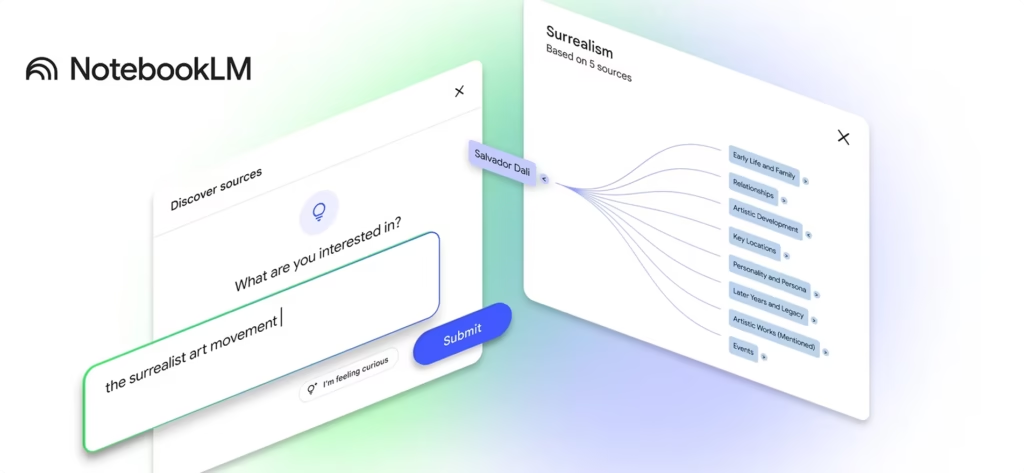
Gemini Notebook supports PDFs, Google Docs, Google Slides, Google Sheets, Word documents, Markdown, CSV, PowerPoint, images, audio, web pages, YouTube URLs, and other supported sources. Each source can contain up to 500,000 words or 200 MB, and the free tier allows up to 50 sources per notebook. Paid tiers raise that source limit to 100, 300, 500, or 600 depending on the plan.
That makes it a practical home for literature reviews based on a selected paper set, market research grounded in supplied reports, policy comparisons, source-bound summaries, fact-checking, and document synthesis. Notes, audio overviews, quizzes, flashcards, reports, and newer study tools add useful learning workflows.
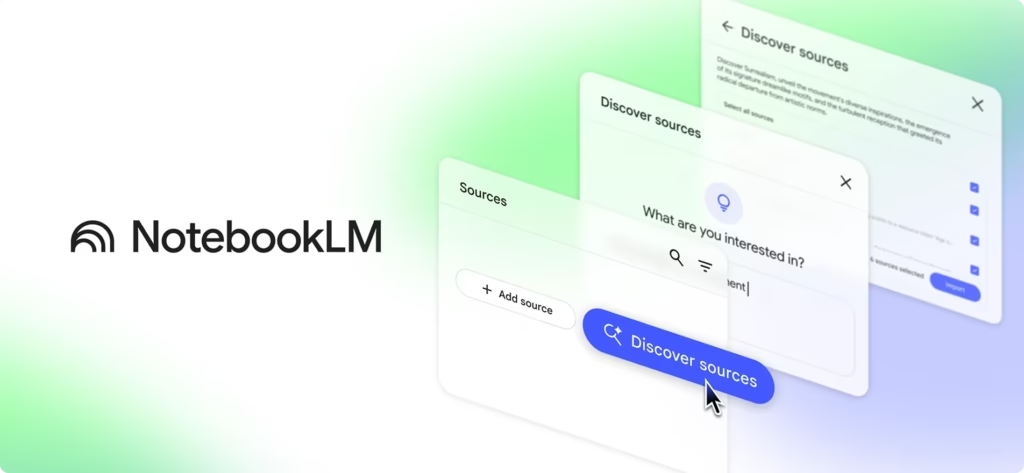
Gemini Notebook’s Deep Research mode can browse hundreds of websites and let you review and import the results into a notebook. That creates a useful two-step habit: discover broadly, then analyze a controlled set of sources.
Source grounding lowers the risk of unsupported answers, but it does not remove the need to check the work. Google says Gemini Notebook answers from the sources provided and recommends fact-checking against the original material. If a source is very short, the system may reference the document without showing an individual cited passage.
That creates a clear source-set risk. If important evidence is missing, stale, or excluded from the notebook, the answer can still look tidy while remaining incomplete. A citation shows where an answer came from; it does not guarantee that the source is correct or that the selected sources represent the entire subject.
Usage friction is another limitation. Since September 2, 2026, Google has described compute-based limits that depend on prompt complexity, chat length, number of sources, and the features used. Limits refresh over time, but intensive reports, audio, video, and slide generation can still interrupt a workflow.
Privacy depends on the account type and feedback settings. Google says it doesn’t use consumer data to train Gemini Notebook unless the user provides feedback, but it may review the full interaction when feedback is submitted. Workspace and Google Cloud customers receive stronger protections, including a statement that human reviewers do not review uploads, chats, or outputs, and that Google does not use them to improve generative AI models.
Public ratings and why we used Google Play
The public-rating table is a separate signal. It is a snapshot of public sentiment, not an official ranking and not a measure of research accuracy.
| Product | Source used | Public Rating | Votes & Reviews |
|---|---|---|---|
| ChatGPT | Google Play Store | 4.5/5 | 61.8M reviews |
| Gemini Deep Research | Google Play Store | 4.4/5 | 46.9M reviews |
| Claude | Google Play Store | 4.4/5 | 753K+ reviews |
| Perplexity | G2 | 4.4/5 | 368+ reviews |
| Gemini Notebook | Google Play Store | 4.6/5 | 325K+ reviews |
| Scite AI | Trustpilot | 4.4/5 | 274+ reviews |
All figures in this table were checked on September 25, 2026. The Google Play rows for ChatGPT, Gemini Deep Research, and Claude measure the parent Android apps; they do not isolate a research mode. The Gemini Deep Research row refers to the Google Gemini app, while the Gemini Notebook row refers to the separate NotebookLM successor. The live Google Play pages can change continuously.
We chose Google Play for five of the six rows because it provides product-level app listings, a single five-star scale, large review populations, and a broad usage signal. Google says the rating users see is weighted toward more recent ratings so that it can respond to major updates.
Google Play still has limits as evidence. Android ratings reflect the full app experience, including sign-in, device compatibility, support, performance, and feature changes. They do not establish citation quality, source coverage, or factual reliability in a research workflow.
We used G2 for Perplexity because it offers structured software reviews from an identifiable buyer population. G2 says reviews go through manual moderation, account checks, screenshot verification, and conflict-of-interest checks.
We used Trustpilot for Scite AI because it offers a visible customer and support sentiment signal for a specialist research service. Trustpilot explains that anyone can write a review and describes controls against fake reviews, while also warning that review solicitation can introduce bias.
The broader ratings audit contained additional signals that we kept separate. Google Gemini was listed at 8.5/10 on TrustRadius from 171 reviews and ratings, and at 4.5/5 on Gartner Peer Insights from 77 ratings, while the Gartner page displayed 92 reviews. Gemini Notebook was listed at 4.6/5 on G2 from 19 reviews. The same audit captured a Google Play ratings-section value of 4.9/5 from 293K ratings and a headline count of 325 K. The comparison image records 4.6/5 and 325K+ for Gemini Notebook, so we preserve the image value in the table and keep the ratings-section value as a separate audit observation. These page surfaces and counters should not be averaged into the hands-on ranking.
Comparisons Before You Buy
How Gemini Notebook compares
Our ranking reflects the tasks, definitions, weights, and hands-on judgments in this study. It is not an official industry ranking, and another researcher could reasonably place Claude or another product first.
| Product | Overall Score | AI Intelligence | Speed | Information and Research Quality | Prompt Accuracy | User Rating | Review Confidence | Features & Usability | Best For |
|---|---|---|---|---|---|---|---|---|---|
| ChatGPT | 8.94 | 9.3 | 7.1 | 9.2 | 9.1 | 9.4 | 7.5 | 9.3 | Complex sourced reports from files |
| Gemini Deep Research | 8.87 | 9.1 | 7.5 | 9.3 | 8.8 | 9.1 | 7.5 | 9.2 | Google Workspace integrated research briefs |
| Claude | 8.73 | 9.4 | 7.7 | 8.7 | 9.1 | 9.3 | 7.5 | 8.3 | Nuanced synthesis of long documents |
| Perplexity | 8.72 | 8.5 | 9.2 | 8.8 | 8.6 | 9.2 | 7.5 | 8.7 | Fast current cited information lookups |
| Gemini Notebook | 8.45 | 8.1 | 8.5 | 8.6 | 8.5 | 9.5 | 6.2 | 8.5 | Study selected documents and notes |
| Scite AI | 7.84 | 7.3 | 8.2 | 7.8 | 7.8 | 9.1 | 6.0 | 7.7 | Citation context and literature auditing |
ChatGPT leads at 8.94 because it combines strong research quality, prompt accuracy, intelligence, and feature usability. Its 7.1 Speed score shows the trade-off: it was strongest overall, yet slower in the tested research-deliverable workflow.
Gemini Deep Research scores 8.87 and leads the group in Information and Research Quality (9.3) and Features & Usability (9.2). It is the stronger choice for current-web investigations and Google Workspace-integrated briefs. Gemini Notebook is better suited to the second pass, when you want to analyze a selected source set.
Claude scores 8.73 and leads on AI Intelligence at 9.4. Its strongest use case in our table is nuanced synthesis of long documents. Perplexity scores 8.72 and leads on Speed at 9.2, making it a strong option for fast, current, cited lookups.
Gemini Notebook’s 8.45 is meaningful for a different reason. It is fast enough for routine research, keeps notes and source material together, and earns a high usability score. Scite AI scores 7.84 overall, yet its citation-context and literature-auditing specialty can make it the better purchase for a researcher who needs to see whether later studies support, contrast with, or merely mention a paper.
For many workflows, the best combination is Gemini Deep Research for broad discovery followed by Gemini Notebook for a source-grounded second pass. If you want one tool, choose the product that matches the work you do most often.
Pricing and plan recommendations
Personal Gemini Notebook access is bundled with Google AI plans. The US list prices below were checked for the September 25 snapshot and exclude taxes and promotional discounts. Regional prices, availability, and limits can differ.
The free Standard tier is enough for occasional document summaries and small study projects. Google AI Plus is the best paid value for most individuals: $4.99 per month doubles the notebook and source allowances, doubles daily Audio Overviews, and raises Notebook Deep Research from ten requests per month to three per day.
Google AI Pro is the sensible upgrade for frequent, source-heavy work. Its 300-source notebooks, 500 daily chats, 20 daily Audio Overviews, 20 daily Deep Research requests, and 5 TB of storage are substantial increases. Ultra makes financial sense when Pro limits repeatedly interrupt your work or when you also need Ultra access across Google’s wider AI portfolio. It is difficult to justify Ultra for Gemini Notebook alone.
Google offers annual billing for AI Plus and AI Pro, but the public US comparison doesn’t publish a fixed annual checkout total. Review the amount shown for your account before selecting an annual term. Google’s membership pages explain how to choose monthly or annual billing for annual billing and Pro billing. Personal plans can be canceled, although partial billing periods generally are not refunded except where required by law.
Eligible US college students can claim one year of Google AI Pro at no charge through the September 2026 offer, with redemption required by December 31, 2026. A payment method is required, and the plan renews at $19.99 per month after the free year unless canceled. Eligible students in more than 140 markets outside the US can receive a free year of Google AI Plus under separate terms.
The annual rates save $16.80, $33.60, and $52.80 per user per year, respectively, compared with twelve months of flexible billing. Annual plans may be billed monthly or yearly depending on region and subscription type. If an organization cancels early, Google says it must still pay the full commitment, and seats removed during the term remain billable until renewal.
Organizations that need shared notebooks, analytics, and stronger controls can buy Gemini Notebook Enterprise through Google Cloud. Google lists it at $9 per license per month after a 30-day trial, with a 15-license minimum, or $135 per month at the minimum monthly purchase.
Schools should first check whether their qualifying Workspace for Education account already includes Standard Gemini Notebook access. An education add-on may be useful when an institution needs higher limits, administration, or enterprise protections.
Conclusion
Gemini Notebook is a strong choice when your work begins with a trusted collection of documents. Choose the free tier for occasional use, Google AI Plus for the best value for most individual researchers, and Google AI Pro for large source sets and frequent publishing work. Teams should check existing Workspace access before purchasing a separate license, while students should verify eligibility for the free-year offer.
Our hands-on study places Gemini Notebook fifth at 8.45 because its intelligence, research-quality, and prompt-accuracy scores trail the leading general research tools. It still performs well on speed, usability, source-grounded study, and document-based synthesis. Choose ChatGPT, Gemini Deep Research, Claude, Perplexity, or Scite AI when your main need is complex file reporting, open-web research, nuanced long-document synthesis, fast current lookups, or citation auditing.
The central caveat is simple: Gemini Notebook can organize and explain the sources you give it, yet the quality of the result still depends on source selection, citation checking, plan limits, and the difference between an app rating and a research evaluation.
FAQ
Why does Gemini Notebook rank fifth despite having the highest user-rating score?
Gemini Notebook received the highest User Rating score at 9.5, but public popularity was only one part of the evaluation. Its overall score was 8.45, placing it fifth because the more heavily weighted factors—AI Intelligence, Information and Research Quality, and Prompt Accuracy—account for 60% of the final result. Gemini Notebook scored 8.1 for intelligence, 8.6 for research quality, and 8.5 for prompt accuracy. It performed better on speed, usability, and source-grounded document work than on complex, open-ended research.
Is Gemini Notebook a replacement for Gemini Deep Research?
No. The two tools are better understood as complementary parts of a research workflow. Gemini Deep Research is designed for broad, current-web investigations and can browse hundreds of websites. Gemini Notebook is strongest after you have gathered a reliable set of sources and want to analyze, compare, summarize, or study those materials. For many projects, the most effective approach is to use Gemini Deep Research for discovery, then import the results into Gemini Notebook for a controlled, source-grounded second pass.
Can Gemini Notebook’s citations be trusted without checking the original sources?
No citation system removes the need for verification. Gemini Notebook’s citations show which supplied source informed an answer, but they do not prove that the source is accurate, complete, current, or representative of the subject. If you never add important evidence to the notebook, the answer may look well organized but remain incomplete. Google also notes that very short sources may be referenced without showing an individual cited passage, so check important claims against the original document.
Which Gemini Notebook plan offers the best value?
The free Standard tier is sufficient for occasional summaries, small study projects, and light document analysis. Google AI Plus at $4.99 per month is the best paid value for most individual users because it substantially increases notebook, source, chat, Audio Overview, and Deep Research limits. Google AI Pro at $19.99 per month is the better choice for frequent researchers, publishers, and users working with large source collections. The Ultra plans at $99.99 or $199.99 per month are difficult to justify for Gemini Notebook alone unless Pro limits repeatedly interrupt your work or you also need the broader Google AI package.
Why did the comparison use Google Play ratings for Gemini Notebook?
Google Play provides a product-level listing, a consistent five-star scale, and a much larger review population than many specialist software-review sites. For the September 25, 2026 snapshot, Gemini Notebook was listed at 4.6/5 from more than 325,000 reviews. Google also says recent ratings receive greater weight, allowing the score to respond to major product changes. However, the rating reflects the wider app experience—including performance, sign-in, device compatibility, and support not research accuracy. That is why we used the Google Play rating as supporting evidence rather than a replacement for the hands-on evaluation.