



Introduction
AI image generators are usually judged at the moment of reveal. The picture appears, everyone studies the lighting and detail, and the most dramatic result wins. That test overlooks the next half-hour: changing a brand color, repairing a curve, making four campaign sizes, separating objects, and handing the file to someone who needs to edit it again.
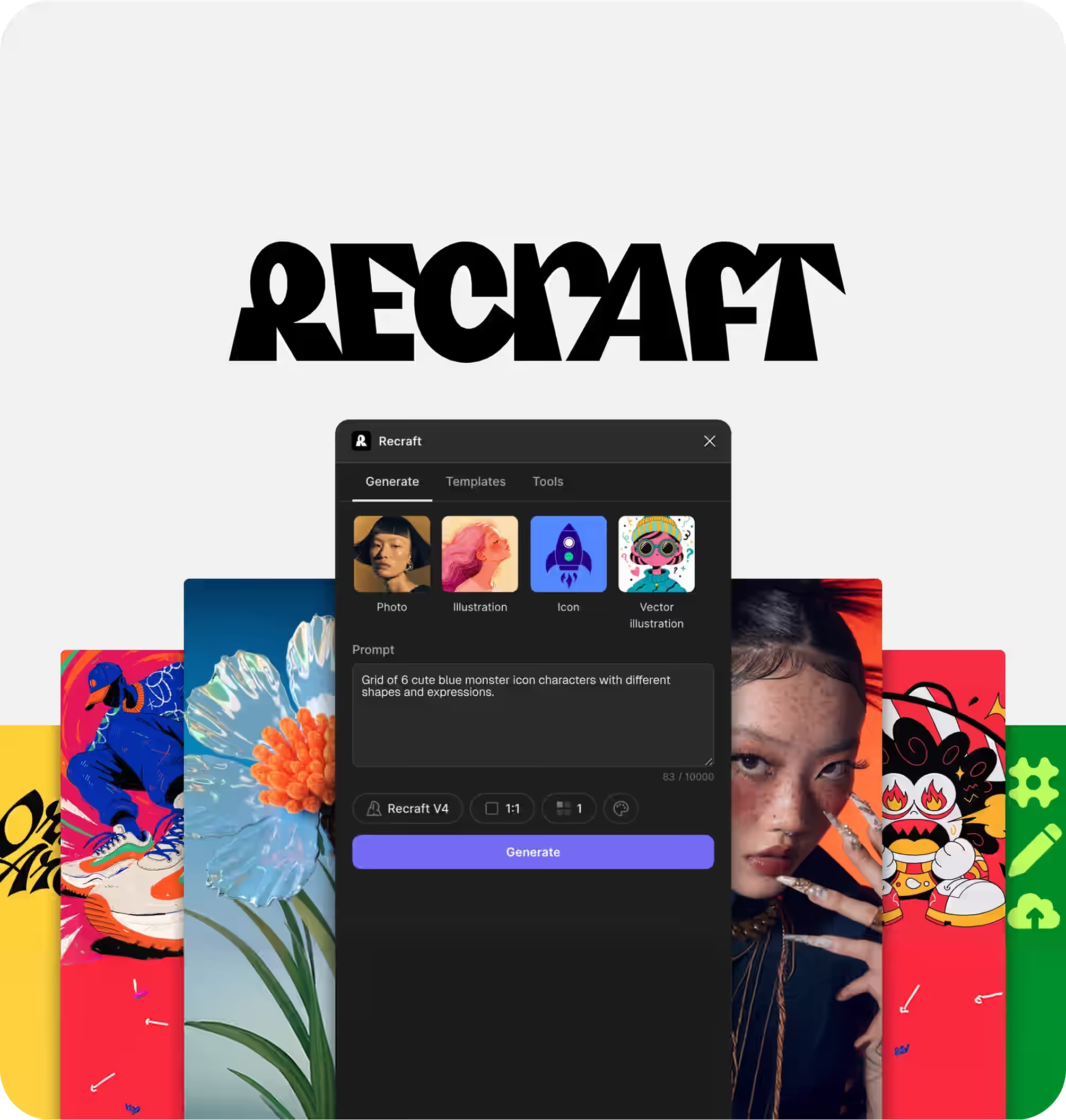
Recraft AI is built for that second moment. It generates raster images, but its more distinctive proposition is a design workspace that can produce editable vectors, apply palettes and visual styles, revise individual elements, and export assets that still behave like designs. A polished JPEG can be useful. An SVG whose shapes and colors remain editable can be useful for months.
That production focus was deliberate. Recraft was founded in the United States in 2022 by machine-learning engineer Anna Veronika Dorogush and is headquartered in London. Dorogush, who created the CatBoost machine-learning library, positioned Recraft around a gap left by consumer image generators: professional designers needed controllable vectors and consistent visual systems, not an endless supply of unrelated pictures. The company’s January 2024 Series A announcement described controls for brand palettes, icon geometry, and line style, alongside native vector generation. Recraft raised $12 million in that round. Recraft’s company page; Series A announcement.
The product developed quickly. Recraft reported 300,000 users within eight months of launch in January 2024, released its proprietary V3 model in October that year, and raised a further $30 million in May 2025 as it expanded its style-creation and brand-control tools. Recraft V4.1 followed on May 14, 2026 with Standard, Pro, Utility, and Vector variants intended for different balances of detail, predictability, and editability. These milestones come from Recraft, so performance claims attached to them remain vendor claims; the release history is still useful because it explains the product buyers encountered at our August 31, 2026 cutoff. Series B announcement; V3 announcement; V4.1 documentation.
One number is missing. Recraft had not publicly disclosed a paid-subscriber count in the company materials we could verify through the cutoff. Its nearest credible adoption figure was a company-reported figure of more than 4 million users in May 2025. “Users” is not a synonym for subscribers, active users, or paying customers, so it should not be presented as one. Recraft’s May 2025 adoption statement.
The headline from our research is this: Recraft scored 8.8/10 in Find Premium AI’s six-product study dated August 31, 2026, and placed fourth overall. Other products led individual categories, but Recraft’s results formed one of the more coherent profiles in the study: 9.1 Image Quality, 9.0 Prompt Accuracy, and 9.4 Features & Usability, all pointing toward the same job of producing vectors and repeatable brand assets.
That coherence is what makes Recraft easy to appreciate. Most generators treat the image as the answer; Recraft treats it as material. A user can keep shaping it, changing a color, opening a vector path, arranging objects, or turning one direction into a family of assets. The software does not always remove the need for cleanup, and it is not the leader for every kind of image, but its idea of creative work feels grounded in what happens after the exciting first render.
Consider a small brand launching one product. On Monday it needs a hero illustration; on Tuesday, an icon set; on Wednesday, a packaging mockup; by Friday, six social crops. The real assignment is not to make several attractive pictures. It is to create one visual family that looks as though the same team designed every member. That is the kind of week in which Recraft’s 8.8 can be more useful than a higher score attached to a less suitable workflow.
A buyer who needs those working files can reasonably choose Recraft ahead of products with higher Overall Scores. The question is not whether it won a league table. It is whether Recraft understands the part of the job that usually begins when the generator thinks it is finished.
Performance
What the 8.8 score actually measures
We evaluate seven factors on a 10-point scale. Image Quality carries 25% of our stated evaluation emphasis, and Prompt Accuracy 20% because the finished image has to look good and follow the brief before anything else matters. AI Intelligence and Features & Usability each carry 15%; Speed and User Rating each carry 10%; Review Confidence carries 5%.
Those weights are our buyer-focused priorities, not an official industry standard. They also do not make the 8.8 Overall Score a simple weighted average that readers can reverse-engineer from this table. The overall values are the finalized results of our August 31 study; the supplied methodology does not expose every normalization step behind them.
| Evaluation Factor | What It Measures | Weight |
|---|---|---|
| AI Intelligence | Creative intent, context, complex instructions, references, and multi-turn reasoning | 15% |
| Speed | Time and consistency from request to usable image or revision | 10% |
| Image Quality | Realism, aesthetics, anatomy, composition, detail, typography, and style | 25% |
| Prompt Accuracy | Fidelity to subjects, placement, colors, text, exclusions, and other constraints | 20% |
| User Rating | Weighted public satisfaction from credible review platforms | 10% |
| Review Confidence | Authenticity, volume, relevance, recency, and source diversity | 5% |
| Features & Usability | Editing, controls, resolution, consistency, workflow, access, and learning curve | 15% |
Recraft did not top an individual category, but treating that as the whole verdict would misunderstand a specialist product. It placed third across most core generation factors and second for Features & Usability while remaining competitive across every creative-performance category. Another product offers the highest score on each isolated factor; few connect strong generation and editable design work as deliberately.
This is the shape of the product’s appeal. A 9.1 image can move directly into a 9.4 production environment, where it can be recolored, vector-edited, rearranged, resized, or exported without leaving the canvas. For a brand team, the value lives in that continuity. For someone who only wants one beautiful hero image and plans to finish it elsewhere, much of Recraft’s special character will go unused.
Recraft V4.1: the latest model at our cutoff
The newest Recraft image model available by our August 31, 2026 cutoff was Recraft V4.1, released on May 14, 2026. That date matters because Recraft also launched V4 Styles on August 26. The names are easy to blur together, but they describe different developments. V4.1 is the core image-generation family. V4 Styles is a reference-based style system designed to carry a look across multiple images; we do not treat it as a successor model called V4.2. Recraft’s own model documentation still identified V4.1 as its current family at the cutoff. V4.1 release announcement; V4 Styles announcement.
V4.1 is less a single switch than a family of eight choices: Standard and Pro raster models, Utility and Utility Pro raster models, and Vector or Vector Pro versions of both approaches. The main model is the expressive option. Pro spends more time and credits on higher resolution and finer detail. Utility is deliberately more restrained and predictable, which can be a better fit for product listings, mockups, and briefs where an unexpected flourish creates more work. Vector produces editable artwork instead of merely placing a vector-shaped image inside a raster file. That range is not glamorous on a feature sheet, but it reflects a mature idea: the “best” model depends on what the image has to become.
Recraft says V4.1 improved natural-looking photorealism, interpretation of short prompts, 3D rendering, gradients, illustration, and vector work. Those are vendor claims, illustrated with examples selected by Recraft, so we do not present them as independent wins over Midjourney, ChatGPT, Gemini, Firefly, or Ideogram. What our scorecard can say is narrower and more useful. In the product experience built around V4.1, Recraft earned 9.1 for Image Quality behind ChatGPT’s 9.5 and Midjourney’s 9.4, but ahead of Gemini at 9.0, Ideogram at 8.9, and Firefly at 8.6. It earned 9.0 for Prompt Accuracy, behind ChatGPT and Ideogram, tied with Gemini, and ahead of Firefly and Midjourney. Its 8.5 for Speed likewise placed third, behind ChatGPT and Gemini but ahead of the other three competitors.
Those are product-level results, not a laboratory benchmark of V4.1 in isolation. Recraft Studio combines the model with its canvas, styles, vector tools, and editing flow, and our scores deliberately judge the usable experience that a buyer receives. We found no sufficiently comparable independent V4.1-only benchmark at the cutoff that would justify inventing a separate numerical rating. Where evidence stops, the article should stop too.
As an image generator, then, V4.1 is genuinely strong without being the universal winner. For an all-purpose raster image, ChatGPT had the better balance in our study. For a cinematic or highly stylized hero visual, Midjourney retained the aesthetic edge. For literal text-led composition, Ideogram remained especially persuasive. V4.1 becomes more distinctive when the brief asks for a clean illustration, an icon family, a controllable brand look, or an SVG that someone will reopen and alter. In those jobs, generation quality and downstream usefulness are hard to separate, and Recraft is unusually good at keeping them together.
Its published API figures also put the speed-versus-finish tradeoff in concrete terms. Recraft listed median generation times of 6.5 seconds for V4.1 Standard, 12 seconds for Pro, 12 seconds for Vector, and 15 seconds for Vector Pro, with per-image prices of $0.035, $0.21, $0.08, and $0.30 respectively. Utility combinations ranged from 8.5 to 17 seconds. Recraft cautions that these are vendor-reported medians, not guarantees: prompt, aspect ratio, and request conditions can make an individual job significantly faster or slower. They therefore inform, but do not replace, our end-to-end 8.5 Speed score. V4.1 model rates and latency notes.
The most encouraging thing about V4.1 is not a claim that every output is prettier. It is the care taken to give different kinds of creative work an appropriate path. Sometimes you want surprise; sometimes you want the bottle photographed plainly, the logo delivered as editable curves, or the fourth campaign image to feel related to the first. Choosing Standard, Utility, Pro, or Vector lets Recraft meet those moments with less friction. That is how V4.1 performs at its best: not as a model that wins every beauty contest, but as one that understands why the image is being made.
AI Intelligence and speed: strong when thinking becomes making
Recraft’s 8.5 for AI Intelligence placed it behind ChatGPT at 9.6 and Gemini at 9.3. The difference is meaningful, but so is the difference in purpose. The general assistants are better suited to ambiguous requests, extended creative dialogue, and revisions that depend on a broad conversational history. If the job begins with “help me work out what this campaign should look like,” ChatGPT has the stronger score and the more natural interaction model.
Recraft still led Ideogram at 8.4, Firefly at 8.1, and Midjourney at 8.0 on this factor. Its AI Chat can interpret a session’s context, accept image references, suggest next actions, and coordinate multi-step work such as generating an image, removing its background, vectorizing the result, and upscaling it. That is real intelligence in a bounded design workflow. It is not the same as being the best open-ended creative partner. Recraft AI Chat documentation.
The limits matter too. Each AI Chat interaction can consume credits in addition to generation and editing costs, and longer conversations become more expensive because the system reprocesses accumulated context. The chat conversation itself does not retain a generation record; Recraft directs users to History for that. One notable limitation touches Recraft’s signature format: reference images are unavailable when generating directly in Vector mode. A designer can work around it through raster generation, vectorization, or manual styling, but the workaround adds a step to an otherwise appealing path from brand reference to editable vector. Recraft credit documentation; Vector Editor documentation.
The 8.5 Speed score tells a similar story. ChatGPT led at 9.6 and Gemini at 9.3; Recraft sat just above Ideogram at 8.4, Firefly at 8.1, and Midjourney at 8.0. This factor measures time and consistency from request to a usable image or revision, not the latency of the first preview. We do not convert those scores into invented seconds.
Recraft earns its position by shortening the route after generation. Background removal, natural-language edits, color adjustments, vectorization, upscaling, object arrangement, and batch export can happen on one canvas. A generator that responds quickly but sends every correction to another application may be slower in practice. The qualification is that this advantage depends on the task. If the first output is all you need, ChatGPT or Gemini is faster in our framework. If the file needs three revisions, six colorways, and two export formats, Recraft can recover time through workflow consolidation. Recraft context-panel documentation.
Image quality: where editability changes the verdict
Recraft scored 9.1 for Image Quality, third behind ChatGPT at 9.5 and Midjourney at 9.4. It edged Gemini at 9.0 and Ideogram at 8.9, and held a clearer lead over Firefly at 8.6. The important word is “edged.” A 0.1 or 0.2 difference is a modest result within our framework, not proof that one tool will visibly outperform another on every prompt.
ChatGPT’s lead reflects a stronger all-round result across realism, composition, detail, typography, and style. Midjourney remains the more persuasive option when the brief prizes mood, visual surprise, and polished art direction above editability. If a creative director wants a cinematic key visual and expects to choose from evocative variations, Recraft’s vector controls do not compensate for Midjourney’s higher aesthetic score.
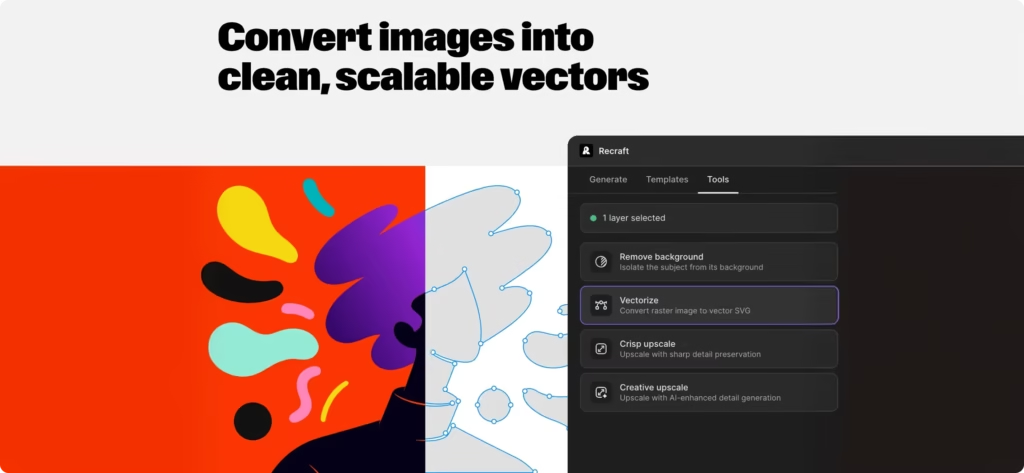
Recraft’s advantage appears when “quality” includes what happens after the image is approved. Its vector output can be opened into individual shapes, points, tangents, curves, and colors, then exported as SVG or PDF. V4.1 Pro variants target higher-resolution raster work, while Vector variants produce files intended to be reshaped and recolored. For icon systems, flat illustrations, logo exploration, diagrams, packaging graphics, and reusable campaign motifs, that editability is part of image quality rather than a separate convenience. Recraft V4.1 documentation; Vector Editor documentation.
The pleasure of editable output should not obscure routine quality control. Recraft’s 9.1 does not make anatomy, exact wording, small details, path economy, or overlapping geometry self-approving. Intricate vectors may still need node cleanup. Text must still be proofread. Human figures and hands deserve inspection at full size, and logos or branded graphics still require trademark and rights review regardless of how cleanly they render.
What this really means is that Recraft is excellent at producing workable visual material. It is not our highest-scoring source of pure imagery, but it gives strong imagery somewhere useful to go. If vectors, structured editing, and brand repetition are absent from the job, that advantage fades. When they are central, the difference is felt long after the initial render.
Prompt accuracy: control beyond the first pass
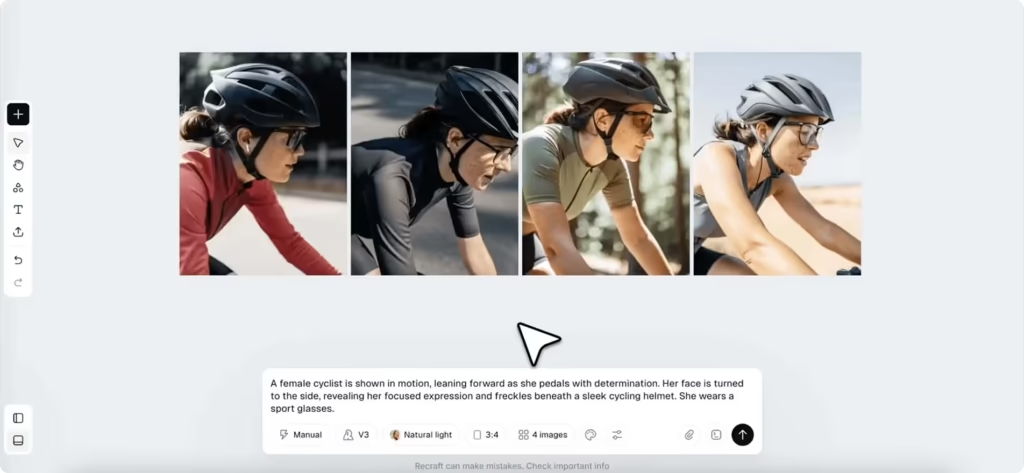
At 9.0 for Prompt Accuracy, Recraft trailed ChatGPT at 9.5 and Ideogram at 9.2, matched Gemini at 9.0, and beat Firefly at 8.5 and Midjourney at 8.2. This factor covers subjects, relative placement, colors, visible text, exclusions, and other constraints. It is where the difference between a striking picture and a usable brief becomes obvious.
Recraft’s positioning controls, custom styles, palettes, and object-level editing make it good at briefs with a visual system behind them: keep the product on the right, preserve space for a headline, use these colors, maintain this illustration language, and deliver several related assets. When a generation is close but not correct, the canvas provides more recovery options than simply rewriting the prompt and rolling the dice again.
ChatGPT’s 9.5 makes it the stronger choice for complicated, conversationally refined instructions, while Ideogram’s 9.2 gives it the advantage when typography and literal prompt fidelity dominate. Recraft’s tie with Gemini also matters: our results do not support a general obedience advantage over Google’s system. What Recraft offers instead is a better recovery path when the first interpretation is close rather than perfect.
Midjourney presents the inverse tradeoff. It scored higher than Recraft for Image Quality but substantially lower for Prompt Accuracy. That makes Midjourney attractive when art direction can evolve around what the model produces, while Recraft is safer when the visual must stay inside a defined layout or brand system. Neither approach is universally superior. One rewards discovery; the other rewards control.
Confidence narrows as instructions become denser, even with a 9.0 score. Long copy, several interacting subjects, precise exclusions, and multiple layout relationships increase the chance of a near miss. The practical response is to separate generation from composition: generate the difficult visual element, position it on the canvas, and set mission-critical text manually. Asking one prompt to behave like a photographer, illustrator, typographer, and production artist at once is still an optimistic management style.
Features and usability: where Recraft feels most itself
Recraft scored 9.4 for Features & Usability, second only to Adobe Firefly at 9.6. It led Gemini at 9.3, ChatGPT and Ideogram at 9.2, and Midjourney at 8.8. This is the factor that most clearly justifies choosing Recraft despite its fourth-place Overall Score.
The product combines raster and vector generation with an infinite canvas, natural-language editing, background removal and replacement, upscaling, vectorization, mockups, palette adjustment, batch actions, reusable styles, and SVG or PDF export. Its selection-driven context panel exposes different actions for one object or a batch, while the Vector Editor allows changes at the shape and path level. Recraft also provides integrations, including Figma. Context-panel documentation; Vector Editor; Recraft plugins.
That toolset creates a credible end-to-end environment for small design jobs. A marketer can generate a campaign direction, isolate an object, adjust its colors, turn it into a mockup, and export variants without assembling a small procession of browser tabs. A designer gets more direct control over the output instead of receiving a flattened artifact from a black box.
This is where the product develops some personality. Recraft anticipates the quiet follow-up requests that define real design work: “make another colorway,” “clean up this curve,” “keep the family consistent,” “put it on packaging,” and “give me an SVG I can hand over.” None of those actions is as theatrical as generating the first image. Together, they make the software feel as though it understands why the image was created.
Firefly’s 9.6 keeps this result in perspective. Teams already committed to Photoshop, Illustrator, and other Adobe production tools have a stronger ecosystem argument than Recraft can offer. Recraft is more self-contained, but Firefly’s native position inside established creative software may remove even more handoffs. The correct choice depends partly on where the source files already live.
The other competitors make different usability trades. ChatGPT and Gemini are easier when the user wants to stay in conversation rather than learn a design canvas. Midjourney asks users to accept a less production-oriented workflow in exchange for stronger aesthetic output. Ideogram is especially attractive for typography and prompt-led creation. Recraft is deepest when objects, styles, variants, and vectors must be managed together.
The 9.4 does not mean the experience is effortless. Recraft has several generation modes, model variants, selection-dependent panels, credit prices, and style controls to understand. AI Chat history and asset History behave differently. Vector mode loses image references. Mobile ratings also suggest that the desktop or web experience should not be assumed to transfer cleanly to every phone. These are manageable costs for frequent design work, but unnecessary complexity for someone who wants to type one prompt and download one image.
The undated feature documentation cited above was checked on September 12, 2026, twelve days after our editorial cutoff. We used it to corroborate capabilities associated with the pre-cutoff product rather than to introduce a later release, but small documentation changes during that interval cannot be ruled out.
What public reviews add and what they cannot prove
User satisfaction needs its own evidence layer because the platforms do not sample the same experience. A G2 reviewer may evaluate a professional workflow and support. A Product Hunt member may remember the launch. A Google Play reviewer may be responding to billing or a problem on one device. Combining those reactions without context would make the review count larger and the conclusion worse.
| Product | Source used | Public Rating | Votes & Reviews |
|---|---|---|---|
| Recraft AI | G2 | 4.7/5 | 450+ reviews |
| Google Gemini | Google Play Store | 4.6/5 | 43.4M reviews |
| Midjourney | G2 | 4.4/5 | 88 reviews |
| ChatGPT | Google Play Store | 4.8/5 | 56.2M reviews |
| Adobe Firefly | G2 | 4.4/5 | 358 reviews |
| Ideogram | App Store | 4.8/5 | 2.6K reviews |
The first lesson is that Recraft’s reputation changes with the product surface. G2 and Product Hunt were strongly positive, while the Android storefront was materially colder. The mobile result deserves to stay in view for buyers who plan to work on Android, but it should not be treated as a direct judgment of the full desktop canvas. Both signals tell us something; neither tells us everything.
The dates matter too. Product Hunt and Google Play were checked after the cutoff, so we did not quietly backdate those numbers or use them to alter the locked August 31 score. Product Hunt’s 37 reviews were also too few and too connected to launch culture to carry the main satisfaction measure. Google Play had greater volume, but the app rating covers far more than image-generation quality and displayed regional or device variation.
We therefore selected G2 for Recraft’s User Rating. It offered more product-specific reviews than Product Hunt, a professional-software audience closer to the buyer in this article, written feedback with enough detail to identify workflow issues, and better source comparability with Midjourney and Adobe Firefly in the same study. The recorded 4.7/5 converts to 9.4/10 by multiplying by two. That is a transparent change of scale, not a claim that the underlying opinions became more exact.
G2 states that submissions undergo automated and manual moderation and that reviewers may be validated through a business email, LinkedIn, or supporting evidence of use. It also says conflicts of interest can prevent reviews from contributing to scoring. Those safeguards make G2 more useful; they do not make it neutral in some absolute sense. Reviewers still choose whether to participate, and G2 permits incentives when they are disclosed. G2’s authenticity methodology; G2 community guidelines.
This explains the apparent mismatch between User Rating at 9.4 and Review Confidence at 7.7. Recraft users on the selected source reported high satisfaction, putting Recraft behind only ChatGPT and Ideogram’s tied 9.6 User Ratings and ahead of Gemini at 9.2 plus Midjourney and Firefly at 8.8. Yet Recraft ranked fourth for Review Confidence, behind ChatGPT at 8.5, Gemini at 8.4, and Ideogram at 7.9. The evidence was positive but not broad enough, recent enough across platforms, or comparable enough in audience to justify greater certainty.
Together, the two scores produce a proportionate conclusion. Satisfaction is high in the professional source we selected, and that supports the sense that Recraft’s design-first approach resonates with its intended audience. The evidence is not broad or uniform enough to assume that enthusiasm carries unchanged to every platform and every kind of user. That is restraint, not a reason to discount the people who genuinely value the product.
Comparisons Before You Buy
Recraft’s 8.8 was the fourth-highest Overall Score in our specific six-product study. It is not an official global rank, and it is not evidence that Recraft is the fourth-best image generator for every buyer. Ranking is a poor shortcut because each product’s score is made of a different performance shape. A one-tenth lead in overall performance may matter less than a one-point advantage on the factor your workflow depends on.
| Product | Overall Score | AI Intelligence | Speed | Image Quality | Prompt Accuracy | User Rating | Review Confidence | Features & Usability | Best For |
|---|---|---|---|---|---|---|---|---|---|
| ChatGPT | 9.1 | 9.6 | 9.6 | 9.5 | 9.5 | 9.6 | 8.5 | 9.2 | Conversational creation |
| Google Gemini | 9.0 | 9.3 | 9.3 | 9.0 | 9.0 | 9.2 | 8.4 | 9.3 | Fast, general-purpose images |
| Midjourney | 8.9 | 8.0 | 8.0 | 9.4 | 8.2 | 8.8 | 7.2 | 8.8 | Aesthetic art direction |
| Recraft AI | 8.8 | 8.5 | 8.5 | 9.1 | 9.0 | 9.4 | 7.7 | 9.4 | Vectors and brand assets |
| Adobe Firefly | 8.7 | 8.1 | 8.1 | 8.6 | 8.5 | 8.8 | 7.6 | 9.6 | Adobe production workflows |
| Ideogram | 8.6 | 8.4 | 8.4 | 8.9 | 9.2 | 9.6 | 7.9 | 9.2 | Typography and open deployment |
Recraft versus ChatGPT and Gemini
ChatGPT is the strongest overall performer in this study, with clear leads in conversational intelligence and speed, as well as higher Image Quality and Prompt Accuracy. It is the better starting point when the user needs help developing an idea, interpreting a complicated brief, and refining the result through natural dialogue.
Recraft answers a different need. Its 9.4 Features & Usability score exceeded ChatGPT’s 9.2 because it offers a more explicit design-production environment. ChatGPT is better at helping shape the idea; Recraft becomes compelling when that idea must turn into editable vectors, coordinated colorways, and a system another designer can continue working on. The lower Overall Score does not erase that practical advantage.
Gemini presents a closer comparison. It beat Recraft on AI Intelligence and Speed, tied it at 9.0 for Prompt Accuracy, and finished 0.2 higher overall. Recraft’s edges in Image Quality, User Rating, and Features & Usability were only 0.1–0.2 points, so they should be described as modest. The buying decision is less about quality dominance than workflow: Gemini for fast general-purpose visual tasks, Recraft for design assets that need controlled editing and reuse.
Recraft versus Midjourney
Midjourney scored 9.4 for Image Quality against Recraft’s 9.1 and remained our stronger aesthetic-art-direction choice. Teams that value cinematic mood, rich stylization, or visual surprise above everything else have a good reason to prefer it. Midjourney’s higher overall score, 8.9 versus 8.8, was small but real within our study.
The comparison reverses when the brief stops being open-ended. Recraft scored higher on AI Intelligence, Speed, Prompt Accuracy, User Rating, Review Confidence, and Features & Usability. Its advantage is not that every image is prettier. It is that the user has more control over how a visual fits a layout, palette, family, and editable production process. Choose Midjourney to discover a visual direction; choose Recraft when the direction has rules.
Recraft versus Firefly and Ideogram
Firefly recorded the study’s highest Features & Usability score at 9.6, ahead of Recraft’s 9.4. For an Adobe-centered team, that two-tenths difference may understate the convenience of staying inside familiar production software. Recraft nevertheless led Firefly on all six other supplied factors, including a sizeable 9.1-to-8.6 Image Quality advantage. A buyer without an established Adobe dependency has a strong reason to prefer Recraft’s output and vector specialization.
Ideogram is the sharper alternative for literal prompting and typography. It beat Recraft 9.2 to 9.0 on Prompt Accuracy, 9.6 to 9.4 on User Rating, and 7.9 to 7.7 on Review Confidence. Recraft responded with small leads in AI Intelligence, Speed, Image Quality, and Features & Usability, producing an 8.8 Overall Score against Ideogram’s 8.6. Those are balanced profiles, not a rout. Choose Ideogram when exact prompt following and text-led visuals dominate; choose Recraft when editing, vectors, and a broader production surface are more important.
Choose Recraft if / choose an alternative if
Choose Recraft if:
- The final deliverable is an editable SVG, icon set, illustration family, packaging graphic, logo direction, or coordinated campaign rather than a standalone raster image.
- Brand palettes, reusable visual styles, object placement, batch operations, and on-canvas correction are central to the work.
- Your team loses time moving generated images through separate cleanup, vectorization, mockup, and export tools.
- You accept that text, anatomy, vector paths, and rights still require human approval before publication.
Choose an alternative if:
- Choose ChatGPT for the strongest conversational creation, reasoning, speed, image quality, and prompt accuracy in this study.
- Choose Google Gemini for fast general-purpose image work inside a broader assistant workflow.
- Choose Midjourney when aesthetic impact and art direction matter more than exact constraints or editable production files.
- Choose Adobe Firefly when Photoshop, Illustrator, and the wider Adobe workflow already define how the team works.
- Choose Ideogram when typography, literal prompt fidelity, and open deployment outweigh Recraft’s vector-and-canvas depth.
Recraft pricing: Basic monthly is the sensible first purchase
For a typical first-time commercial buyer, the best default is Basic billed monthly at $12 USD, plus applicable tax. It includes 1,000 subscription credits per month, private generation, commercial-use rights, top-ups, additional model access, and the core advanced design workflow. A dated August 31, 2026 pricing check matched Recraft’s official documentation for the Basic, Pro, and Teams starting tiers. August 31 pricing snapshot; official paid-plan documentation; official pricing page.
Basic monthly is not the cheapest possible entry. It is the lowest tier suited to genuine commercial work. The Free plan can test Recraft’s interface and output, but at the cutoff it limited users to three generations per style per day, three uploads per day, and up to two images per generation. It lacked the paid plan’s external-model access, made generations public, assigned ownership to Recraft, and prohibited commercial use. That is acceptable for a low-stakes personal test, but not for an unreleased product, client brief, or actual campaign asset. Recraft pricing and ownership FAQ.
One month on Basic answers the questions a feature list cannot: Do its vectors need cleanup for your style? How often do you revise? Which models do you use? How quickly do 1,000 credits disappear? Credit consumption varies by model and operation, and AI Chat can charge for reasoning interactions as well as generation. The allowance is therefore not a promise of a fixed number of finished images.
Once recurring use is established, Basic annual costs $120 upfront, displayed as $10 per month, with the same 1,000-credit allowance refreshing each month. Twelve monthly payments cost $144. The annual plan therefore saves $24 per year, or 16.7% against the $144 monthly-payment baseline. Recraft’s interface displayed “save 20%,” but the buyer’s cash-spend calculation is $24 divided by $144. Annual billing is worthwhile only if the user is likely to stay for the year and consume the monthly credits.
Unused subscription credits expire at the monthly reset; they do not accumulate. Top-up credits are more forgiving: paid users can buy 200 for $2, 400 for $4, 800 for $8, or 1,600 for $16, and those credits do not expire. A brief spike therefore, does not require an immediate plan change. Recraft credit rules.
The upgrade threshold is fairly clear. A Basic customer repeatedly using 1,800–2,000 credits per month would spend $20–$22 after an 800–1,000-credit top-up, at which point Pro monthly at $20 for 2,000 credits is cleaner. Pro also makes sense earlier when video models, priority image generation, or greater parallel capacity are required. Teams began at $22 per seat monthly for 2,000 credits per seat and added shared styles, administration, and support; the August 2026 terms required at least three paid seats.
Monthly billing remains the better first decision because annual subscriptions have a 12-month minimum term and both billing cadences auto-renew. Recraft says users may cancel at any time and retain access until the end of the paid period. Its terms generally deny refunds for billed amounts, while the pricing FAQ describes a narrow discretionary review when the latest payment is no more than 30 days old and either no credits have been used since payment or lifetime account use remains below 30 credits. Mandatory consumer rights can differ by jurisdiction. That exception is not a reliable trial policy. Recraft Terms of Service; pricing FAQ.
Paid assets are private, and Recraft’s pricing page grants commercial rights. The August 2026 terms say paid users own their generated assets, subject to restrictions including a prohibition on using them to train AI. Recraft’s FAQ says assets created while subscribed retain their ownership and private status after cancellation. However, private gallery status is not the same as zero service-side use: the terms grant Recraft a broad license to process inputs and assets to provide and improve the service, and model-training use is enabled by default unless the user opts out in account preferences. Anyone handling confidential client material should inspect those settings and the current agreement before uploading files. Prices are in U.S. dollars and exclude applicable taxes. These are purchasing observations, not legal guarantees. Recraft pricing and ownership FAQ; Terms of Service, updated August 11, 2026.
Conclusion
Recraft’s 8.8/10 comes from a coherent idea rather than category domination: a generated image should remain workable. ChatGPT leads our conversational measures, Gemini is the faster general-purpose option, Midjourney has the higher aesthetic-quality score, Firefly fits Adobe production, and Ideogram has the prompt-accuracy edge. Those alternatives deserve their strengths. Recraft deserves to be judged on the unusually direct path it creates from generation to design.
What stays with us is not simply that Recraft can produce a vector. It is that the product expects the user to keep making decisions after the vector appears. Its 9.1 Image Quality and 9.0 Prompt Accuracy feed into a 9.4 production environment built around palettes, styles, object-level changes, and reusable assets. Designers, marketers, agencies, and small businesses that turn generated visuals into brand systems can get more practical value from that combination than from a higher-ranked generalist.
For a new commercial buyer, choose Basic monthly at $12 USD. Use the first month to measure cleanup, revision, and credit consumption. Move to Basic annual at $120 only after the workflow has proved itself and the $24 annual saving is worth a 12-month commitment.
The 8.8/10 is Find Premium AI’s dated result from August 31, 2026, not an official score or a permanent industry rank. The reason to buy Recraft is not that it always wins the reveal. It is that the tool lets you stay with the image after the reveal until it becomes something your brand can actually use.
FAQ
Why choose Recraft AI when ChatGPT, Gemini, and Midjourney received higher overall scores?
Because the highest overall score does not always identify the best tool for a particular workflow. ChatGPT and Gemini are stronger when image creation depends on conversation, complex reasoning, and rapid natural-language revisions. Midjourney remains the more compelling option for cinematic concepts and visually striking art direction.
Recraft becomes more valuable after the first image is generated. Its editable vectors, reusable styles, palette controls, object positioning, and canvas-based editing make it better suited to building a connected set of assets rather than one impressive picture. If a project requires a hero image, matching icons, packaging graphics, and several social-media versions that must feel like one visual family, Recraft may be the more practical choice despite its lower 8.8 overall score. It does not beat every competitor at pure generation; it offers one of the strongest bridges between generation and actual design production.
What makes Recraft V4.1 different from a typical AI image model?
Recraft V4.1 is not presented as one model that handles every creative task in exactly the same way. Its Standard, Pro, Utility, and Vector variants let users choose the kind of output the job requires. Standard suits general visual creation, Pro prioritizes richer detail and higher-quality raster output, Utility favors more controlled production work, and Vector creates graphics that can be reshaped and recolored.
That flexibility is where V4.1 performs most convincingly. A user is not forced to treat a detailed campaign illustration, a simple icon, and an editable graphic as the same generation problem. However, V4.1 should not be assumed to outperform every competitor in every category merely because it is Recraft’s latest model. ChatGPT and Midjourney achieved higher Image Quality scores in our comparison, while ChatGPT and Ideogram scored higher for Prompt Accuracy. V4.1’s real strength is the combination of strong generation quality and unusually practical control over what happens next.
Are Recraft’s AI-generated vectors genuinely editable and ready for professional use?
They are genuinely editable, but “editable” should not be confused with “automatically finished.” Recraft’s vector output can contain individual shapes, points, curves, tangents, and colors that a designer can modify. That is a meaningful advantage over downloading a raster image and running it through an automatic tracing tool afterward.
The resulting SVG should still pass a human production check. Look for unnecessary anchor points, awkward curve intersections, overlapping shapes, inconsistent stroke behavior, and details that may disappear at smaller sizes. Text should also be typeset separately when exact wording and typography matter.
For logos, Recraft is best treated as a concept-development and production-assistance tool, not a substitute for originality checks, trademark research, optical refinement, or a designer’s final approval. It can provide a much more useful starting file than many image generators, but the final responsibility still belongs to the person or team publishing the work.
Can Recraft keep characters, colors, and visual style consistent across an entire campaign?
Recraft can improve consistency substantially, especially through custom styles, palette controls, reference-based workflows, positioning tools, and the ability to revise objects on the same canvas. This makes it well suited to creating an illustration family or a campaign in which several assets need to share the same color language, line treatment, and overall mood.
It is not a perfect identity-locking system. Small details can drift between generations, including facial features, clothing elements, proportions, object geometry, and the exact treatment of repeated brand elements. Reference images are also not available in every workflow, including the dedicated Vector generation type.
The most reliable approach is to establish one approved visual direction first, save the relevant style and palette, and then build related assets through controlled variations rather than unrelated prompts. Recraft reduces the amount of corrective work required, but important characters, products, logos, and brand colors should still be compared side by side before publication.
Is Recraft Basic worth paying for, or should a serious user start with Pro?
Basic monthly is the better starting point for most new commercial users. At $12 per month, it provides 1,000 subscription credits, private generations, commercial-use rights, top-up access, and the core design workflow. That is enough to test the question that matters most: how many credits your real projects consume after generation, editing, upscaling, and AI Chat interactions are included.
There is no honest fixed conversion from 1,000 credits to a specific number of finished images because different models and operations have different costs. If occasional demand exceeds the allowance, non-expiring top-up credits may be cheaper than immediately changing plans. Once monthly use regularly reaches roughly 1,800–2,000 credits, Pro at $20 per month becomes the cleaner choice and also adds benefits for heavier production needs.
Avoid using the Free plan for client work. As of our August 31, 2026 cutoff, free generations were public, owned by Recraft, and not licensed for commercial use. We would also wait before buying Basic annually: its $120 upfront price saves $24 compared with twelve monthly payments, but only makes sense after recurring use and credit requirements have been established.