


Introduction
Figma Make is most interesting when your starting point is not a blank prompt, but an interface you already care about.
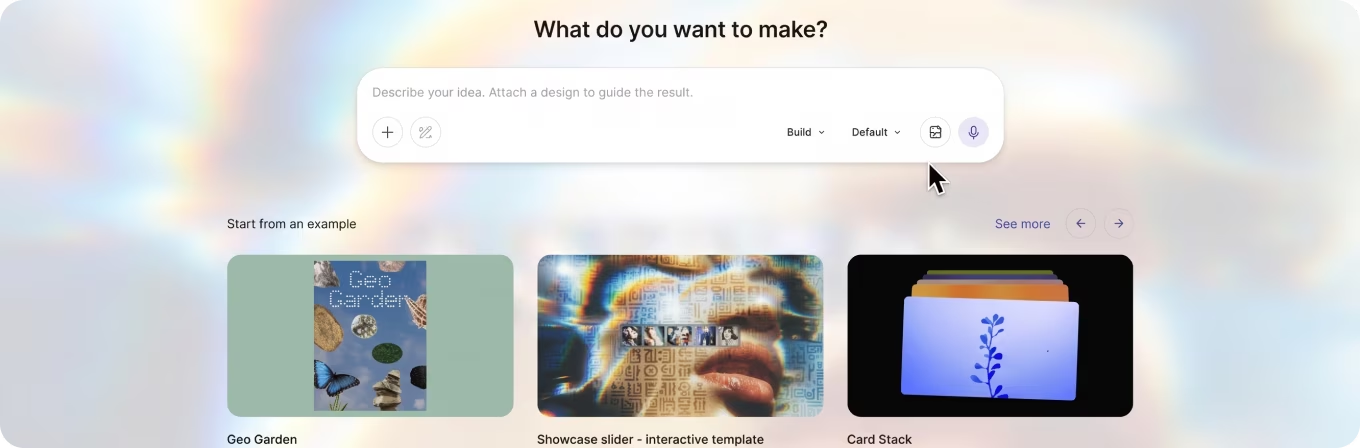
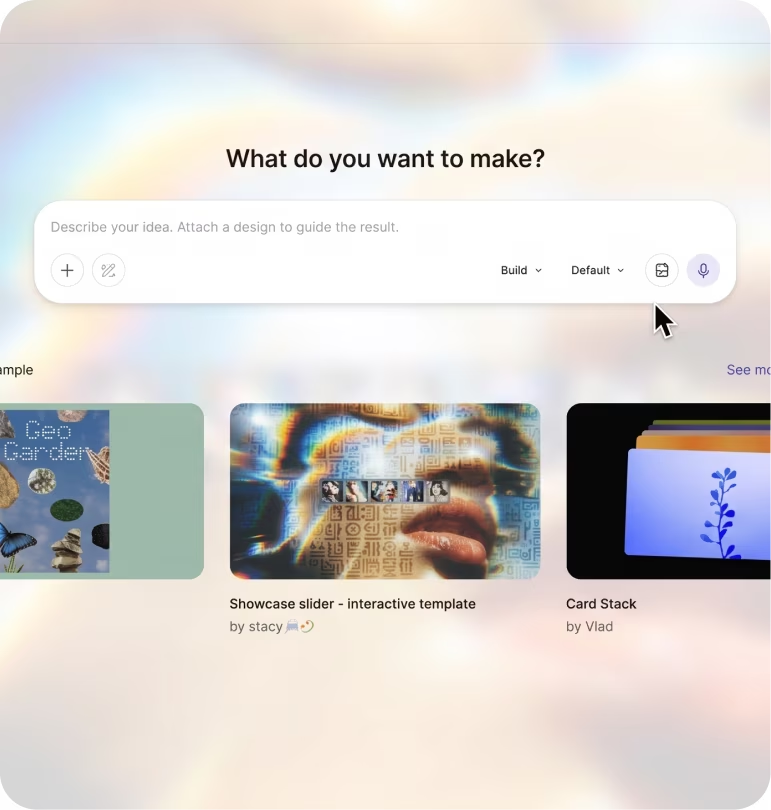
You may have a Figma file, a component library, a product idea that needs to become clickable, or a design system you do not want an AI builder to casually reinterpret. Figma Make is designed for that middle ground between design and working software: Figma describes it as an AI-driven, prompt-to-app tool that can turn ideas and existing Figma designs into functional prototypes, web apps, and interactive UI. Its current Make guide supports attaching designs and components, editing through a familiar properties panel, drawing and annotating changes, searching the web, collaborating in the same file, editing generated code, and publishing the result.
That design-first lineage matters. Figma itself was started by Dylan Field and Evan Wallace in 2012 after the two began experimenting with browser-based design tools at Brown University. Field’s founder letter dates the company to 2012; Figma’s December 2015 preview launch followed roughly three years of development around the then-unusual idea that professional interface design could live in the browser. Figma Make came much later: Figma introduced it in 2025 as part of its expansion from design software toward AI-assisted product building, and moved Make out of beta on July 24, 2025. It was developed inside Figma; it is not a separately founded company or startup.
There is also an important number we could not find: a standalone count of paying Figma Make subscribers or users. Figma does not publicly break Make out that way. The latest broad total we could verify is approximately 690,000 Figma Paid Customers as of March 31, 2026. That is an account-level metric, not a count of individual Make users. In the same quarter, Figma said approximately 60% of Paid Customers generating more than $100,000 in annual recurring revenue used Figma Make weekly. Its later Q2 results reported 15,964 Paid Customers above $10,000 in annual recurring revenue and 1,635 above $100,000 as of June 30, but did not publish a newer total Paid Customer figure or a Make-specific subscriber count.
That is the backdrop for our own evaluation. Find Premium AI completed its hands-on comparison on October 1, 2026. We scored six products v0 by Vercel, Lovable, Figma Make, Replit Agent, Base44, and Bolt.New across seven weighted factors. Figma Make finished third overall at 8.55/10, behind v0 at 8.95 and Lovable at 8.79. It also earned the highest UI/UX and web-design score in our shortlist: 9.6/10. Those are our research results, not a universal leaderboard, and our methodology was not designed to predetermine Figma Make as the winner. A researcher who weights repository intelligence, backend work, or autonomous engineering more heavily could quite reasonably reach a different order including preferring a different product or a Claude-based workflow.
The interesting question, then, is not whether Figma Make is “best.” It is whether its particular kind of strength matches the work you actually need to do.
Performance
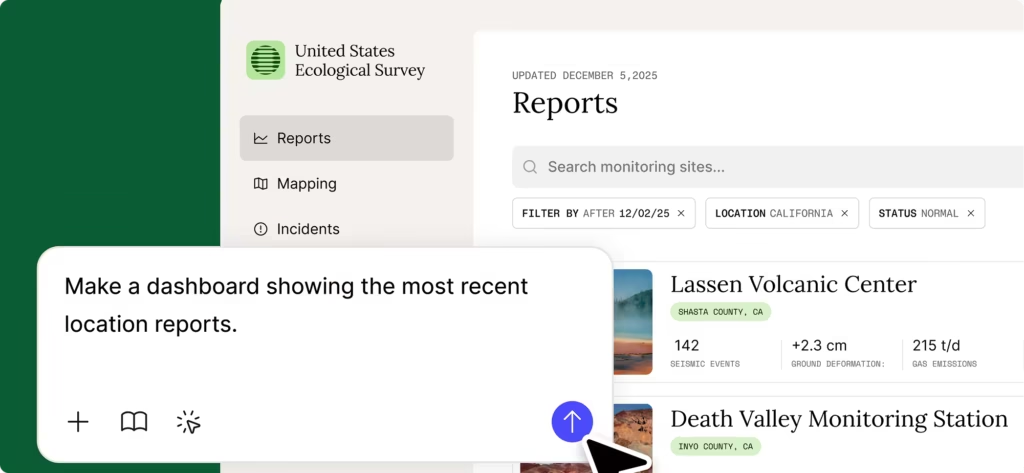
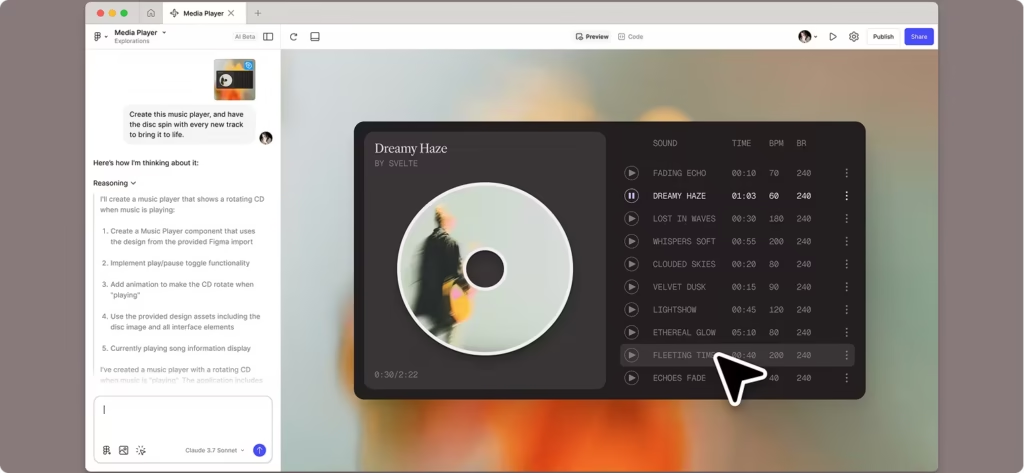
Figma Make’s clearest advantage is that it understands design as something more specific than “generate a nice-looking React page.” You can begin from an existing Figma frame, component, image, file, or library context rather than translating the design into a long textual description. Figma says the model interprets attached design layers and content and attempts to translate them into functional code while retaining their form as closely as possible. Once the prototype exists, you can select an element and adjust properties such as spacing, typography, and layout visually, mark an area with the drawing tool, attach an annotation to a specific element, continue prompting conversationally, or work directly in the code editor.
That combination matters in day-to-day UI work. A designer does not always want to describe “make the heading 4 pixels tighter and align this card with that one” to a chatbot. Sometimes you want to click the thing and change it. Make’s visual editing layer gives you that escape hatch.
The same is true at the design-system level. Figma’s design packages can bring a production-ready design system into a Make kit, including components distributed as npm packages. Figma says this allows a prototype and a production application to use the same implementation of the design system rather than asking the model to visually approximate it. Public npm packages can be used across plans, while private design-system packages require a paid plan and organization setup.
That helps explain why Figma Make did so well in our visual evaluation. We gave it 9.6/10 for UI/UX and web-design quality the highest score among the six products and 8.8/10 for prompt accuracy. In our testing, its strongest case was not “replace an engineering team.” It was “take a product direction that already has design intent and turn it into something interactive without losing that intent.”
Independent evidence points in a similar direction, although it measures different things. The 2025 UI-Bench paper tested 10 text-to-app systems using 30 briefs, 300 generated sites, and more than 4,000 blinded expert pairwise judgments. Figma Make ranked second, behind Orchids, with a TrueSkill mean of 27.46 and a 57.1% empirical win rate; Lovable ranked third at 27.14. That supports the idea that Figma Make can produce visually convincing work, but UI-Bench is not a substitute for our scorecard. It was a visual-preference benchmark, it represented an August 2025 snapshot of rapidly changing products, and it did not test the full set of concerns we score such as review confidence, repository control, or production usability.
A newer experiment addresses speed rather than aesthetics. A September 2026 RCT paper studied 100 participants 50 product designers and 50 product managers randomly assigned to complete three standardized design tasks with or without Figma Make. Averaged across the tasks, the paper estimates approximately 20% shorter time to completion for successfully completed work with Make access. The effect was larger for product managers; results for professional designers were more task-dependent, with the clearest designer benefit appearing on the most complex interaction task.
That deserves two footnotes before anyone turns “20%” into a blanket productivity claim. All four paper authors list Figma as their affiliation, although the study used external research firm MeasuringU for recruitment and moderation. And the authors explicitly note that the time analysis includes successfully completed tasks, while Make itself affected the likelihood of completion on some tasks. The experiment also used three fixed, reference-based tasks rather than the ambiguity and changing requirements of a real product project. In other words: useful evidence, but not a promise that every designer becomes 20% faster.
The model is not one fixed model
There is another reason to be careful when comparing somebody else’s Figma Make test with yours: the underlying model can change. As checked on October 2, 2026, Figma’s current model selector lists GPT-5.6 Terra, GPT-6.1 Sol, Claude Sonnet 4.5, Claude Opus 5.5, Gemini 3.8 Flash, and Gemini 3.1 Pro in addition to Figma Make’s default model. Figma does not identify one permanent model that always powers Make; its documentation explicitly says the default may change over time. Users can also switch models during a conversation.
That is more than a model-picker novelty. Figma warns that non-default models can differ in errors, self-healing, reasoning time, generation behavior, and AI-credit consumption. Its documentation also currently limits web search in Make to the default model and Claude Opus. So two people can use “Figma Make” for the same task and get meaningfully different speed, cost, and output behavior because the selected model is different.
Figma’s July 2026 model update said its own internal tests of GPT-5.6 found stronger first-pass quality, responsive layouts, interactions, and error recovery. Those are vendor-run observations, not an independent benchmark, but they illustrate why Make’s model layer now matters to a buying decision.
Where the production story gets complicated
Figma Make has also moved further toward engineering than its early “prototype generator” label suggests. Generated code can be inspected and edited directly. Users can download the code as a ZIP, and Figma now supports pushing a Make project to GitHub. Figma has also introduced a limited workflow for working against local production code, and its Q2 2026 materials describe the ability to work directly in a production codebase.
Still, this is where we would draw the line between “better than a prototype toy” and “mature repository-first engineering agent.” Figma’s code workflow says a downloaded ZIP can be moved into your preferred IDE, but changes made outside Make do not automatically flow back into the Make file; you have to manually bring those changes back. The GitHub workflow is better: Make can create a repository and continue pushing its own changes to it. But that is not the same as every engineering workflow having frictionless two-way synchronization, mature CI behavior, branch management, or autonomous repository reasoning.
There is a similar boundary on the design side. You can copy a Make preview back into Figma Design as editable layers, but Figma documents that workflow as a snapshot rather than a permanently synchronized representation. That is useful for critique and further design work, but it is not a magical round-trip system in which every later code edit appears back on the canvas automatically.
So our practical read is this: Figma Make is unusually good at moving from design context to functional experience. It is less obviously the tool we would choose as the center of a long-lived, CI-heavy engineering codebase.
That distinction runs through the seven factors in our hands-on research framework:
| Evaluation Factor | What It Measures | Weight |
|---|---|---|
| AI Intelligence | Architectural reasoning; repository and design-system understanding; context retention; debugging; tool selection; multi-step planning; recovery after failed approaches. | 15% |
| Speed | Time and consistency from request to an accepted runnable result, including latency, retries, tool efficiency, tests, and revision time. | 10% |
| UI/UX and Web-Design Quality | Visual hierarchy; typography; spacing; color; responsive behavior; interaction states; accessibility/semantics; design-system fidelity; information architecture; originality and polish. | 25% |
| Prompt Accuracy | Requirement coverage; literal adherence; scope discipline; handling of ambiguity; preservation of existing behavior; quality of follow-up revisions. | 20% |
| User Rating | Weighted public satisfaction from credible review platforms | 10% |
| Review Confidence | Authenticity/verification; sample size; relevance to the current product/version; recency; source diversity; agreement or divergence between platforms. | 5% |
| Features & Usability | Onboarding; visual editing; code/repository control; design-system and Figma import; backend/integrations; testing; deployment; collaboration; accessibility; plan limits and portability. | 15% |
Those weights matter. Design quality alone carries one-quarter of our score. Someone building a production backend may reasonably choose different priorities and get a different winner.
Comparisons Before You Buy
Here is our full hands-on research scorecard:
| Product | Overall Score | AI Intelligence | Speed | UI/UX & Web Design Quality | Prompt Accuracy | User Rating | Review Confidence | Features & Usability | Best For |
|---|---|---|---|---|---|---|---|---|---|
| v0 by Vercel | 8.95 | 9.2 | 9.2 | 8.7 | 9.2 | 9.8 | 6.0 | 9.0 | Frontend teams shipping polished Next.js products |
| Lovable | 8.79 | 8.8 | 8.4 | 9.0 | 8.5 | 9.4 | 7.5 | 9.1 | Teams building polished managed-backend SaaS products |
| Figma Make | 8.55 | 7.6 | 7.8 | 9.6 | 8.8 | 9.5* | 4.5 | 8.6 | Figma-driven product prototyping teams |
| Replit Agent | 7.96 | 8.7 | 7.6 | 7.2 | 7.4 | 9.2 | 7.5 | 8.8 | Engineers, students, and teams that want a browser-based repository |
| Base44 | 7.91 | 7.7 | 8.3 | 7.7 | 7.8 | 8.8 | 6.0 | 8.4 | A solo founder, small business, or internal team building a workflow application |
| Bolt.New | 7.65 | 7.8 | 6.5 | 7.8 | 7.0 | 8.8 | 6.5 | 8.5 | JavaScript teams building fast hosted prototypes |
*Figma Make’s User Rating score uses Figma, the parent product, as a proxy because Make does not yet have a meaningful standalone public-review sample. That is also why its Review Confidence score is deliberately lower.
The weighting reproduces Figma Make’s 8.55 overall score: its unrounded weighted result is 8.545. So the third-place result is not a visual ranking disguised as a general one. The 9.6 in design quality helps substantially, but the 7.6 AI Intelligence score and especially the 4.5 Review Confidence score keep it behind v0 and Lovable.
AI Intelligence is Figma Make’s weakest hands-on result relative to this particular field. Its 7.6 was the lowest of the six, narrowly behind Base44’s 7.7 and Bolt.New’s 7.8 and materially behind Replit Agent at 8.7, Lovable at 8.8, and v0 at 9.2. In practice, that means we found Figma Make more convincing when the problem centered on an interface and existing design context than when the job demanded deep repository reasoning, architecture, debugging, and multi-step production engineering.
Speed, at 7.8, lands in the middle. It beat Replit Agent’s 7.6 and Bolt.New’s 6.5, but trailed Base44 at 8.3, Lovable at 8.4, and v0 at 9.2. That result is compatible with the independent randomized study without being “proven” by it: the RCT suggests Make can save time on certain structured design tasks, while our score considers the entire journey to an accepted runnable result, including retries and revisions.
UI/UX and web-design quality is the reversal. Figma Make’s 9.6 led the group, ahead of Lovable at 9.0 and v0 at 8.7. Bolt.New scored 7.8, Base44 7.7, and Replit Agent 7.2. For a product team asking, “Which of these is most likely to preserve visual hierarchy, spacing, typography, component fidelity, responsive behavior, and overall polish?” this is the number that makes Figma Make particularly difficult to dismiss.
The UI-Bench result gives that observation useful independent context. Its expert pairwise study also put Figma Make near the top for visual quality second of ten systems in the 2025 benchmark although the benchmark and our test use different methods, dates, tools, and criteria
Prompt Accuracy is another genuine strength. Figma Make scored 8.8, second only to v0’s 9.2. Lovable followed at 8.5, then Base44 at 7.8, Replit Agent at 7.4, and Bolt.New at 7.0. This is important because a beautiful first pass is not enough. An AI builder becomes frustrating very quickly when “change this one thing” quietly becomes “change this thing plus three other things I liked.” Our prompt-accuracy factor explicitly penalizes that behavior.
The User Rating score needs the most careful reading. Figma Make’s 9.5 is not a claim that “Figma Make has a 9.5 user rating” on a public review site. It does not. It is our internal user-satisfaction factor, and for Make it necessarily uses the broader Figma product as a proxy. v0 scored 9.8, Figma Make 9.5, Lovable 9.4, Replit Agent 9.2, and Base44 and Bolt.New 8.8.
That proxy problem flows directly into Review Confidence. Figma Make scored only 4.5 Finally, Figma Make’s 8.6 for Features & Usability is strong, but not category-leading. Lovable scored 9.1, v0 9.0, and Replit Agent 8.8; Figma Make then edged Bolt.New at 8.5 and Base44 at 8.4. Its editing controls, design context, collaboration, publishing, backend options, design-system support, code access, GitHub push, and increasingly production-aware workflow earn it a strong result. The points it gives up reflect the boundaries discussed above: repository control, portability, plan constraints, and the fact that some of its more production-oriented workflows are newer or less universal. the lowest in the group. Lovable and Replit Agent each scored 7.5, Bolt.New 6.5, and v0 and Base44 6.0. We would rather lower our confidence than pretend thousands of reviews of Figma Design suddenly become reviews of Figma Make.
The direct buying comparisons are fairly clear. Against v0, Figma Make gives up AI Intelligence, Speed, Prompt Accuracy, User Rating, and Features & Usability in our scoring, while winning decisively on UI/UX quality. We would choose v0 first for a frontend team shipping polished Next.js products; we would lean Figma Make when the product conversation begins in Figma and preserving design intent is the harder problem.
Against Lovable, the decision is closer. Lovable’s 8.79 overall score comes from a more balanced profile: 8.8 AI Intelligence, 8.4 Speed, 9.1 Features & Usability, and 7.5 Review Confidence. Figma Make is stronger in our UI/UX score and Prompt Accuracy. For a team building a managed-backend SaaS product end to end, Lovable has the better fit in our research. For a Figma-driven product-prototyping team, Make has the more natural center of gravity.
Replit Agent scored below Figma Make overall but beat it in AI Intelligence, Review Confidence, and Features & Usability. That makes sense for engineers, students, and teams that want the repository itself to be the workspace. Figma Make is almost the mirror image: less repository-first, much more design-first.
Base44 is faster in our test 8.3 versus 7.8 but Figma Make leads it on AI Intelligence only narrowly? No: Base44 scored 7.7 against Make’s 7.6, so Base44 also has the slight edge there. Figma Make wins much more clearly on UI/UX, Prompt Accuracy, User Rating, and Features & Usability, while Base44 has higher Review Confidence. We see Base44 as a better fit for a solo founder, small business, or internal team building a workflow application; Make is better aligned with teams where product design is already a first-class input.
Bolt.New’s 7.65 overall score put it sixth. It narrowly beat Figma Make in AI Intelligence, 7.8 versus 7.6, and had stronger Review Confidence, 6.5 versus 4.5. Figma Make was ahead in Speed, UI/UX, Prompt Accuracy, User Rating, and Features & Usability. Bolt.New remains an understandable choice for JavaScript teams that want fast hosted prototypes, but it was not as strong as Make in our design-centered testing.
None of those comparisons makes third place “the objective truth.” Change the weights and you change the outcome. Our scorecard is a decision aid based on one documented set of priorities, not a decree about every designer, developer, startup, or enterprise.
Customer Review
This is the part of the Figma Make story where precision matters more than a reassuring star count. As of our review cutoff, there still was not a mature standalone body of Figma Make reviews. Capterra’s current Make profile displays 0.0/5 based on 0 user reviews and says the page was last updated September 27, 2026. The 0.0 is therefore a no-data display. It is not evidence that users gave Figma Make zero stars.
For our October 1 user-rating work, we therefore used the broader Figma product as a parent-product proxy and deliberately assigned Make a low 4.5/10 Review Confidence score. That distinction is important enough to repeat: the proxy tells us something about people’s experience with Figma’s ecosystem; it cannot tell us that those same people have used Figma Make.
TrustRadius was our primary Figma proxy. Its current review profile reports Figma at 8.9/10 from 1,739 reviews and ratings. We prefer to show the original 10-point scale here rather than silently turn 8.9/10 into a five-star number. TrustRadius is useful for this decision because its process asks reviewers to establish identity and recent product experience and because its B2B format supplies more work-context information than a bare star score.
Capterra is a useful cross-check, not a substitute for Make-specific evidence. Its Figma reviews page reports 4.7/5 from 878 reviews and was updated September 28, 2026. Capterra says reviews are subject to identity and moderation checks and discloses incentivized reviews rather than requiring us to assume every review arrived through the same channel.
G2 adds another large sample but another scope warning. Its seller profile showed 4.6/5 from 2,057 reviews when checked on October 2. That is the Figma seller-level total across its listed products; the Figma product line itself showed 1,592 reviews on the page, so the two counts should not be merged or casually described as “Figma Make reviews.” G2 also labels recent entries with signals such as “Validated Reviewer” and “Verified Current User” and documents moderation of submitted reviews.
The spread across review sites is not a flaw to be averaged away. Different platforms recruit different kinds of users and capture different experiences professional workflow, procurement, customer support, billing, early-adopter enthusiasm, or general brand sentiment. For a Figma Make purchase, the honest conclusion is that public evidence remains thin at the product level.
That is why our 9.5 User Rating factor and 4.5 Review Confidence factor belong together. One says the broader Figma ecosystem has substantial positive user evidence in the business-software sources we examined. The other says we do not have enough Make-specific reviews to pretend that evidence is more precise than it is.
| Product | Source used | Public Rating | Votes & Reviews |
|---|---|---|---|
| v0 by Vercel | Product Hunt | 4.9/5 | 60+ reviews |
| Lovable | G2 | 4.6/5 | 433+ reviews |
| Figma Make | Trustradius | 4.4/5 | 1.7k+ reviews |
| Replit Agent | G2 | 4.4/5 | 413+ reviews |
| Base44 | Product Hunt | 4.4/5 | 41+ reviews |
| Bolt.New | G2 | 4.3/5 | 96+ reviews |
Pricing
Figma pricing is easier to understand once you separate the plan from the seat. Full Make functionality is attached to a paid Full seat. Figma’s current seat guide lists Figma Make among the products included with Full seats. Starter users and people on Dev or Collab seats can try Make with restrictions, but Figma’s documentation reserves the complete workflow for paid Full seats. Prices below were checked October 2, 2026. Figma’s pricing page states that prices are in U.S. dollars. Professional supports either month-to-month or annual billing; Organization and Enterprise use annual subscription terms.
| Plan / seat | Month-to-month | Annual rate, monthly equivalent | Annual commitment | Included seat AI credits |
|---|---|---|---|---|
| Starter | $0 | $0 | $0 | Up to 500/month, with 150/day limit |
| Professional – Collab | $5/mo | $3/mo | $36/year | 500/month |
| Professional – Dev | $15/mo | $12/mo | $144/year | 500/month |
| Professional – Full | $20/mo | $16/mo | $192/year | 3,000/month |
| Organization – Collab | Not offered month-to-month | $5/mo | $60/year | 500/month |
| Organization – Dev | Not offered month-to-month | $25/mo | $300/year | 500/month |
| Organization – Full | Not offered month-to-month | $55/mo | $660/year | 3,500/month |
| Enterprise – Collab | Not offered month-to-month | $5/mo | $60/year | 500/month |
| Enterprise – Dev | Not offered month-to-month | $35/mo | $420/year | 500/month |
| Enterprise – Full | Not offered month-to-month | $90/mo | $1,080/year | 4,250/month |
The annual prices should be read literally as monthly equivalents within an annual commitment—not as prices you can necessarily pay one month at a time. Figma’s Professional billing guide confirms that Professional can be purchased monthly or annually, while Organization and Enterprise use annual terms.
AI credits deserve almost as much attention as the subscription fee. Figma’s credit guide currently assigns 3,000 monthly credits to a Professional Full seat, 3,500 to Organization Full, and 4,250 to Enterprise Full. Starter and non-Full paid seats receive 500 monthly credits, with Starter also subject to a 150-credit daily limit. Credits reset monthly, do not roll over, and cannot be transferred between users. Additional usage can be purchased through AI-credit subscriptions or pay-as-you-go billing where available.
Do not translate 3,000 credits into a fixed number of Make prompts. Figma says credit consumption varies with the model, the complexity of the task, and the amount of context processed. Its current model documentation also warns that some non-default models may use substantially more credits than others. That makes the real cost of an AI-heavy workflow dependent on how you work, not just which line of the pricing table you buy.
For the person most likely to benefit from Figma Make a solo product designer, UI/UX professional, or freelancer who expects to use it throughout the year our recommendation is the Professional Full seat on annual billing: $16 per month equivalent, or $192 for the year. It gives you full Make access and 3,000 monthly AI credits without paying Organization pricing for administrative capabilities an individual probably does not need.
For a short project or someone still deciding whether Make belongs in the workflow, the $20 Professional Full month-to-month option is the more sensible first step. You pay more per month, but you avoid committing $192 before you know whether Make’s design-first workflow actually saves you time.
Starter is the logical place for learning and personal experimentation. A developer who mainly needs Dev Mode rather than full Make can reasonably choose the Professional Dev seat$ monthly or $12 per month on an annual commitment but that should not be mistaken for a discounted Full Make subscription. Similarly, a Collab seat makes sense for a reviewer or stakeholder whose main role is collaboration rather than creating and publishing Make projects.
Organization becomes easier to justify when the need changes from “I need Figma Make” to “our company needs shared libraries, centralized administration, and cross-team control.” Enterprise adds the sort of workspace, security, design-system, and seat-management capabilities aimed at large organizations. Neither upgrade is automatically a better Figma Make value simply because it costs more.
Conclusion
Figma Make is at its best when there is already something worth preserving. A real Figma design. A component system. A visual language. A product designer who wants to explore interactions without handing every experiment to an engineer. A PM who needs to make an idea tangible enough for the team to react to.
That is the pattern running through the evidence. In our October 1, 2026 hands-on study, Figma Make scored 8.55/10 and placed third of six products. It did not beat v0’s 8.95 or Lovable’s 8.79 overall. But its 9.6/10 UI/UX and web-design score was the strongest in the shortlist, and its 8.8 Prompt Accuracy score was second only to v0.
Independent research does not prove our ranking, nor should it. But it points in a compatible direction: UI-Bench ranked Figma Make second for expert visual preference in its 2025 test, while the September 2026 randomized experiment found roughly 20% lower average completion time across its standardized tasks for completed work, with the largest benefits tending to appear among product managers and on certain more involved tasks. Both studies have scope limitations that make them evidence, not verdicts.
The tradeoff is equally clear. Figma Make has become much more capable on the code side it can expose and edit code, export it, push to GitHub, work with production design-system packages, and increasingly connect to real codebases. But its repository and production-engineering loop is still the reason we would hesitate to make it the default choice for a long-lived, CI-driven engineering project over a tool built more explicitly around that job.
Public sentiment requires another dose of restraint. Figma itself has large review samples and strong ratings on several business-software platforms, but Figma Make does not. Its standalone Capterra listing had zero user reviews when checked. That is why the parent-product proxy helps inform our User Rating factor while simultaneously dragging Make’s Review Confidence down to 4.5/10.
For a designer or product manager already living in Figma, we think the most sensible buying path is straightforward: test Make on a real piece of your own product, with your own components and design system, and pay close attention to three things how faithfully it preserves the design, how many revisions it takes to reach an acceptable interaction, and how comfortably the resulting code fits the engineering workflow that follows.
If that pilot works, Professional Full annual at $192 per year is our value pick for an individual who expects to use Figma throughout the year. For a short engagement or an uncertain buyer, Professional Full month-to-month at $20 is the safer first commitment. Figma Make does not win our overall ranking. For the right design-led team, that may be less important than the category it does win.
FAQ
Why did Figma Make rank third if it had the highest UI/UX score?
Figma Make earned the highest UI/UX and web-design score in our October 1, 2026 testing at 9.6/10, ahead of Lovable at 9.0 and v0 at 8.7. But design quality represented 25% of the overall score, not the entire evaluation. Figma Make scored lower in AI Intelligence (7.6), Speed (7.8), Review Confidence (4.5), and Features & Usability (8.6). After all seven weighted factors were applied, its overall score was 8.55, placing it third behind v0 at 8.95 and Lovable at 8.79.
Is Figma Make a good choice for turning an existing Figma design into a working web app?
That is one of its strongest use cases. Figma Make can work from existing Figma designs, components, and design-system context rather than requiring you to describe an interface entirely through prompts. It also supports visual property edits, annotations, code editing, collaboration, and publishing. That combination is a major reason we see it as particularly well suited to product designers and PMs who want to turn an established design direction into an interactive prototype or design-validated web app.
Can Figma Make replace a repository-first AI coding tool for production development?
Not necessarily. Figma Make can expose and edit generated code, export code, push projects to GitHub, and work with production design-system packages. But its repository and production-engineering workflow was less mature in our evaluation than tools built more directly around software development. For a long-lived application with heavy CI, branching, repository management, and ongoing engineering work, that difference matters. Figma Make makes more sense when preserving design intent is the central problem; repository-first tools may make more sense when the codebase itself is the center of the workflow.
Does Figma Make really have a 9.5/10 user rating?
No. The 9.5 User Rating in our scorecard is a parent-product proxy based on Figma, not a standalone public rating for Figma Make. Make still lacked a meaningful independent review sample when we conducted the research; its Capterra profile, for example, displayed 0 user reviews. We therefore used broader Figma customer evidence for the User Rating factor while deliberately lowering Figma Make’s Review Confidence to 4.5/10. The two scores should be interpreted together rather than treating 9.5 as a public Make rating.
Which Figma plan makes the most sense if Figma Make is the main reason I am subscribing?
For an individual designer, freelancer, or UI/UX professional expecting to use Make throughout the year, our pick is the Professional Full seat on annual billing at $16 per month equivalent, or $192 per year. It provides full Make access and 3,000 monthly AI credits based on the pricing and entitlements checked for the article. If you are testing Make or only need it for a short project, the Professional Full month-to-month option at $20 per month is the lower-commitment choice. Dev and Collab seats cost less, but they should not be treated as cheaper substitutes for a Full seat when full Figma Make functionality is the reason you are subscribing.