




Introduction
GitHub Copilot is unusually hard to judge because it is no longer one product experience. It can finish a line in an editor, discuss a repository, edit several files, review code, work from a terminal, or take an issue and return a draft pull request. Those modes do not demand the same reasoning, cost the same amount, or fail in the same way. A fast autocomplete result says little about whether an agent can preserve an architectural constraint across a long task.
The origin story is clearer than some marketing summaries make it sound. There is no single “founder of GitHub Copilot.” GitHub leads the product; Microsoft is GitHub’s parent following its 2018 acquisition agreement Microsoft Acquisition; and OpenAI supplied the initial model collaboration. GitHub introduced a technical preview on June 29, 2021, initially powered by OpenAI Codex, as the original GitHub Launch announcement records. GitHub made the individual product generally available on June 21, 2022, through editor extensions, as the GitHub Release. Its journey since then has moved from AI pair programming toward agentic development: by May 2025, its cloud coding agent could take work from an issue, operate in a GitHub Actions environment, commit changes, and open a draft pull request for human review Agent Launch.
The latest official audience number available by our cutoff is large but must be labeled correctly. On July 29, 2026, Microsoft said GitHub Copilot had 50 million users Microsoft Earnings. That is a user figure, not a count of paid subscribers, purchased seats, active monthly users, or organizations—and neither GitHub nor Microsoft supplied a like-for-like current subscriber total in that disclosure.
By September 16, 2026, Copilot was best understood as a combination: an AI pair programmer for inline help, an agentic coding assistant for multi-step work, and a code generator capable of building or changing frontend and backend components. It can support web development, but it is not primarily a one-click, no-code website builder or a replacement editor. It is best suited to GitHub-centered teams, enterprises, and individual developers who want AI inside an existing IDE and repository workflow.
That date, September 16, 2026, is the research cutoff for this article. Find Premium AI’s result is an editorial scorecard built from the attached methodology and research, not an official certification or a universal league table. Different weights could reasonably produce a different winner.
Performance
GitHub Copilot scored 8.91/10 overall, placing fifth of six in our study. That sounds worse than the underlying result: only 0.49 points separated first place from sixth. Copilot’s profile is distinctive rather than weak. It tied for the highest Features & Usability score and earned the study’s highest Review Confidence score, while lower Prompt Accuracy and Coding & Web Development Quality scores pulled down the weighted total.
Our overall score applies the attached weights: Coding & Web Development Quality carries 25%, Prompt Accuracy 20%, AI Intelligence and Features & Usability 15% each, Speed and User Rating 10% each, and Review Confidence 5%. The table below preserves the full scope of each factor rather than reducing a score to a vague impression.
What the pattern means in real work. Copilot is strongest when the workflow itself matters. It spans inline completion, IDE agent mode, a CLI, code review, custom agents, and an autonomous cloud agent without forcing developers to leave a familiar editor. Its 9.6 Features & Usability score tied Cursor and Devin for the highest in our study, while its 9.0 Speed score was solid. The practical edge is its integration with GitHub issues, branches, pull requests, Actions, review processes, and enterprise policies. For routine component generation, small backend changes, tests, documentation, and familiar refactors, that connected workflow can matter more than winning a pure reasoning comparison.
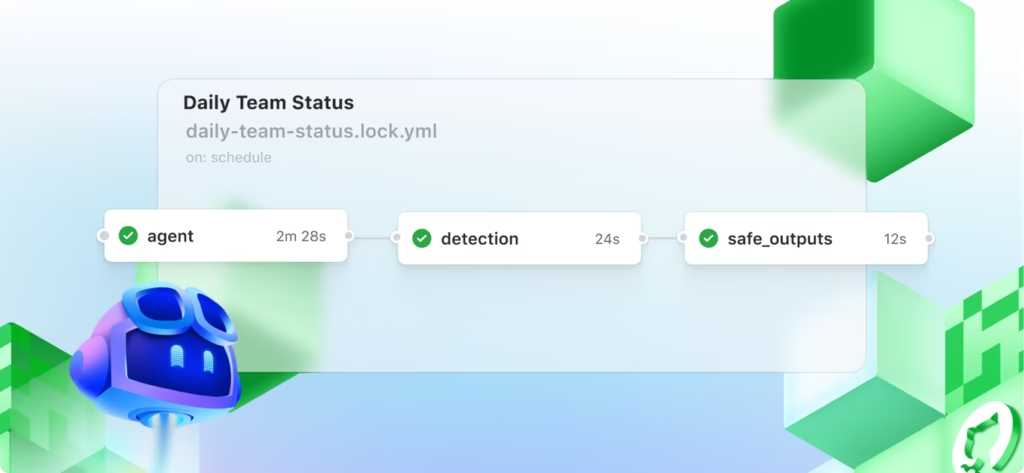
The cloud agent is the clearest example. It can research one repository, create an implementation plan, make changes on a branch, run automated tests and linters in an ephemeral GitHub Actions environment, create commits, and optionally open a pull request. The developer can inspect the diff, logs, and commits, add direction, and decide when the work is ready for review. That visibility is valuable for teams because delegated work remains inside the same issue-to-pull-request system rather than disappearing into an untracked local chat.
The ceiling becomes clearer on demanding tasks. An 8.8 AI Intelligence score trails Claude at 9.8, OpenAI Codex at 9.6, and Cursor at 9.4. Copilot can inspect a repository and use tools, but a developer should supervise architectural refactors, subtle causal debugging, and long chains of dependent edits. Its 8.7 quality score also sat below Claude’s 9.7 and Codex’s 9.6. This does not mean Copilot routinely generates bad code; it means its output was less consistently correct, maintainable, secure, polished, and deployable across the full definition we weighted most heavily.
| Evaluation Factor | What It Measures | Weight |
|---|---|---|
| AI Intelligence | Architectural reasoning, repository understanding, causal debugging, context retention, tool selection, recovery from failed approaches, and handling complex multi-step work | 15% |
| Speed | Time and consistency from request to accepted, runnable code; includes latency, number of retries, tool-call efficiency, and time to a verified revision | 10% |
| Coding & Web Development Quality | Correctness, test pass rate, maintainability, architecture, security, frontend polish, responsiveness, accessibility, backend and database integration, and deployability | 25% |
| Prompt Accuracy | Fidelity to requested behavior, stack, file scope, UI details, constraints, exclusions, coding standards, and “do not change” instructions | 20% |
| User Rating | Normalized public satisfaction from credible software-review platforms, using the most product-specific and recent rating available | 10% |
| Review Confidence | Review authenticity, sample size, recency, source diversity, and whether the reviews describe the current product rather than an older version | 5% |
| Features & Usability | IDE, terminal, browser, cloud-agent and Git/PR workflows; repository indexing; previews; testing; deployment; rollback; integrations; controls; onboarding; and learning curve | 15% |
Prompt fidelity is the sharpest caution. Because Prompt Accuracy carries 20%, Copilot’s 8.6 materially affected its overall placement. In a web project, that can appear as a UI that works but misses responsive or accessibility requirements, a backend edit that ignores an existing convention, a test that covers the happy path but not the stated edge case, or an agent that touches files outside the requested scope. On difficult repository-wide tasks, its context handling and first-pass precision trailed the top three products in our scorecard. Clear acceptance criteria, repository instructions, narrow diffs, and human verification remain part of the job.
Models and the wider product. Copilot was a multi-model system by the cutoff, so it would be misleading to call any one model “the Copilot model.” The newest headline addition was OpenAI GPT-6 Astra, made generally available in Copilot on September 4, 2026, for Copilot Pro+, Max, Business, and Enterprise, with a gradual rollout across supported Copilot surfaces Astra Release. General availability did not make Astra the universal default, and it was not part of the selectable Pro or Free entitlement announced at launch.
Two days before our cutoff, GitHub also introduced configurable Auto model selection with Efficiency, Balance, and Intelligence tiers. Auto evaluates the prompt and routes it within the available model set; paid users receive a 10% usage discount on the selected model cost. Auto Update. That makes model choice a performance-and-cost decision. A lightweight model can feel quicker and preserve credits for common edits, while Astra or another premium model may justify higher usage on repository-scale reasoning. Free and Student users were limited to Auto selection, while paid tiers differed in manual and premium-model access.
Model capability is only one layer. GitHub’s June 25, 2026 harness study compared Copilot CLI with Claude Code and Codex CLI while holding the underlying model constant: Claude Sonnet 4.6, Claude Opus 4.7, GPT-5.4, or GPT-5.5, depending on the run. It measured task completion and token efficiency across SWE-bench Verified, SWE-bench Pro, SkillsBench, TerminalBench, and GitHub’s internal Win-Hill set, and reported comparable completion with fewer tokens in most tested configurations Harness Study. The useful conclusion is that orchestration tools, context assembly, and workflow can change the result even when the model is held constant. The limitations matter: GitHub ran and published the study; the runs were non-interactive, used a two-hour cap, disabled web tools, and do not reproduce a developer’s full IDE or web-building session. We therefore treat it as evidence about harness efficiency, not as an independent proof that Copilot beats competing products.
Failure modes. GitHub’s own responsible-use guidance says Copilot can produce inaccurate or insecure code, struggle with complex or underrepresented languages, miss context or intent, match public code, and suggest potentially destructive terminal commands Chat Limits. Its agent guidance adds risks around incomplete or low-quality changes, sensitive information, tool permissions, and untrusted Model Context Protocol servers Agent Limits. The cloud agent also uses both GitHub Actions minutes and AI credits; credit consumption varies with the selected model and the number of tokens processed. Heavy autonomous use is therefore harder to predict than unlimited inline completion, especially on long tasks Agent Documentation. Those disclosures line up with our lower prompt-accuracy and quality scores: generated code should be read, tested, security-checked, and reviewed before merge or deployment. Autonomy changes who types the code; it does not transfer accountability.
How public reviews informed the score. The cross-product inputs below are the exact snapshots recorded in our original scorecard images. Those images show no row-level capture dates, so we treat them as the values in the research file finalized on September 16 rather than inventing separate capture dates.
| Product | Source used | Public Rating | Votes & Reviews |
|---|---|---|---|
| Claude | Google Play Store | 4.5/5 | 734K+ reviews |
| OpenAI Codex | Product Hunt | 5.0/5 | 87+ reviews |
| Cursor | Product Hunt | 5.0/5 | 947+ reviews |
| Devin | G2 | 4.3/5 | 83+ reviews |
| GitHub Copilot | G2 | 4.4/5 | 386+ reviews |
| Replit | Google Play Store | 4.5/5 | 50K+ reviews |
We then ran a separate GitHub Copilot-specific review audit dated September 16, 2026. It found eight direct product profiles, ordered below from their lowest to highest displayed five-point result. TrustRadius’s native score is 8.6/10; the 4.3/5 figure is the explicit rescaling used in that audit, calculated as 8.6 ÷ 2. We preserve the native score so readers do not mistake the conversion for a second rating.
The range looks wide, 4.0/5 to 5.0/5—until sample quality is considered. The four stronger professional datasets cluster tightly: TrustRadius at the equivalent of 4.3/5, G2 and Gartner at 4.4/5, and Capterra at 4.5/5. The perfect AlternativeTo score and Product Hunt’s 4.8/5 come from much smaller communities, while SourceForge’s 4.0/5 rests on only six reviews. We therefore do not read either end of the range as a decisive verdict.
The qualitative pattern is more useful than the headline spread. Product Hunt reviewers commonly praised productivity, autocomplete, boilerplate generation, IDE integration, and help with unfamiliar frameworks, while also reporting incorrect or generic suggestions and weaker project-specific reasoning. TrustRadius’s May 2026 synthesis similarly highlighted faster development and in-context IDE help, alongside missed edge cases, accuracy problems, large-codebase context limits, and occasional agent-mode slowness. Those themes align closely with our scorecard: strong features and speed, paired with more cautious quality and prompt-accuracy results.
Why we chose G2. The choice was not made because G2 gave Copilot the highest rating; it did not. We selected 4.4/5 from 386 reviews because the profile was Copilot-specific, the September 15 category snapshot was current to one day before our cutoff, the sample was large enough to resist a few extreme opinions, and the audience was relevant to professional software purchasing. G2 also publishes its research, review-screening, and fraud-moderation approach in G2 Methods. Its accessible review text and reviewer context made the aggregate easier to audit than a bare vote total.
Gartner is the strongest corroborating enterprise signal: its roughly 470 ratings produced the same 4.4/5 result. We did not substitute it for G2 because its All Markets profile is broader, its ratings and readable-review counts are presented differently, and its audience leans more heavily toward enterprise buyers. TrustRadius offers richer long-form commentary but a smaller pool; Capterra is smaller and belongs to the same Gartner Digital Markets review ecosystem as Software Advice and GetApp, so those three cannot be counted as independent confirmation. Product Hunt is useful for developer-community sentiment, but its 33-review sample and maker culture make it more selection-prone. SourceForge, PeerSpot, and AlternativeTo add range, but not enough volume to set the score.
We also excluded several tempting but misleading numbers. Trustpilot’s profile rates GitHub as a company, mixing repositories, Actions, support, billing, and Copilot. Apple and Google Play ratings cover the full GitHub Mobile app. Microsoft Copilot and Microsoft 365 Copilot are different products. Software Advice and GetApp overlap with Capterra, while Slashdot can mirror SourceForge. Excluding those prevents double-counting and keeps the review target consistent.
G2 still has limitations. Reviewers self-select, some participation may be incentivized, professional-software audiences do not represent every developer, and older reviews may describe an earlier Copilot. That is why public sentiment contributes only 10% of our weighted result and Review Confidence another 5%. The selected 4.4/5 broadly supports our finding that Copilot is useful and mature, while the normalized 8.8/10 User Rating below the 9.0–9.4 scores of the other five products also fits our more reserved findings on output quality and instruction fidelity. The attached methodology does not disclose the normalization formula, so we report the original G2 figure without reverse-engineering it.
The cross-product sources need equal caution. A large Google Play count reflects a mobile-app audience rather than a controlled coding evaluation; Product Hunt ratings may have enthusiastic but smaller launch-oriented samples; and G2 sample sizes differed widely. We used those signals as one weighted factor, not as interchangeable benchmarks or a substitute for product testing.
Comparisons Before You Buy
Here is the complete score matrix from our research. Every factor and overall result uses a 10-point scale; the overall column applies the factor weights described above.
| Product | Overall Score | AI Intelligence | Speed | Coding and Dev Quality | Prompt Accuracy | User Rating | Review Confidence | Features & Usability | Best For |
|---|---|---|---|---|---|---|---|---|---|
| Claude | 9.36 | 9.8 | 8.6 | 9.7 | 9.5 | 9.4 | 8.8 | 8.8 | Complex debugging, refactors, architecture, workflows. |
| OpenAI Codex | 9.33 | 9.6 | 9.0 | 9.6 | 9.3 | 9.4 | 7.6 | 9.4 | End-to-end development across every workflow |
| Cursor | 9.29 | 9.4 | 9.4 | 9.1 | 9.1 | 9.4 | 9.4 | 9.6 | AI embedded across everyday development |
| Devin | 9.03 | 9.0 | 9.1 | 8.9 | 8.8 | 9.0 | 8.8 | 9.6 | Teams coordinating agents across workstreams |
| GitHub Copilot | 8.91 | 8.8 | 9.0 | 8.7 | 8.6 | 8.8 | 9.5 | 9.6 | GitHub teams wanting AI in-IDE |
| Replit | 8.87 | 8.7 | 9.3 | 8.4 | 8.7 | 9.0 | 9.3 | 9.5 | Rapid full-stack building with hosting |
The attached “best for” notes describe Claude as best for “Complex debugging, refactors, architecture, workflows”; OpenAI Codex for “End-to-end development across every workflow”; Cursor for “AI embedded across everyday development”; Devin for “Teams coordinating agents across workstreams”; GitHub Copilot for “GitHub teams wanting AI in-IDE”; and Replit for “Rapid full-stack building with hosting.” These are editorial shorthand, not exclusive capabilities. Our fuller buying interpretation is that Copilot best fits GitHub-centered teams, enterprises, and developers who want AI added to an existing IDE rather than a replacement editor.
Against Claude and OpenAI Codex. Claude finished 0.45 points ahead of Copilot and led it by 1.0 point in AI Intelligence, 1.0 in Coding & Web Development Quality, and 0.9 in Prompt Accuracy. It is the stronger choice in our data for hard debugging, architecture, and refactors, though it scored lower on Speed, Review Confidence, and Features & Usability. Codex finished 0.42 ahead, pairing 9.6 scores for intelligence and quality with better prompt fidelity, while Copilot led on features and had much stronger review confidence. A buyer who weights end-to-end autonomous development or raw implementation quality more heavily could very reasonably rank OpenAI Codex first, despite its smaller review sample in our inputs.
Against Cursor and Devin. Cursor was 0.38 ahead overall, faster at 9.4, stronger on intelligence, quality, prompt accuracy, and user rating, and tied Copilot’s 9.6 feature score. It is the more compelling scorecard choice for an AI-native daily editor experience. Devin led Copilot by only 0.12, with slightly higher scores across intelligence, speed, quality, prompt accuracy, and user rating; both scored 9.6 for features. Copilot’s counterweight is a much stronger Review Confidence score and a workflow that is particularly natural for teams already centered on GitHub.
Against Replit. This was the closest result: Copilot led by just 0.04 overall. Replit was faster and had slightly higher prompt and user-rating scores; Copilot was stronger on intelligence, coding quality, review confidence, and features. Choose Replit when rapid full-stack creation plus hosting is the main job. Choose Copilot when the code already lives in repositories and the IDE-to-pull-request path matters more than an integrated hosted builder.
The placement therefore should not be read as “fifth means poor.” Copilot’s broad workflow coverage can outweigh small score gaps for a GitHub-heavy team, while another buyer may rationally prioritize Claude’s reasoning, Codex’s end-to-end work, Cursor’s editor experience, Devin’s coordination model, or Replit’s build-and-host loop. Change the weights, and the order can change.
Which Copilot plan to choose. GitHub moved its current Copilot plans to usage-based billing with GitHub AI Credits on June 1, 2026 Billing Announcement. The cutoff pricing below is in US dollars before tax. Individual plans are priced per month; Business and Enterprise are priced per granted seat per month. The 12-month figures are simple monthly-price totals, not separately purchasable annual subscriptions.
The plan facts come from GitHub’s cutoff-era GitHub Plans, Copilot Pricing, and individual-plan Allowance Details. Copilot Enterprise requires GitHub Enterprise Cloud, and Copilot was not available for GitHub Enterprise Server. Business and Enterprise add centralized access, budget and policy controls, data protections, and IP indemnity; Enterprise adds deeper organization-level management and customization. Those organization plans solve a governance problem and should not be treated as direct substitutes for Pro+ simply because Business costs less per seat.
How AI credits affect the real cost. One AI credit equals $0.01. Chat, agent mode, the cloud agent, Copilot CLI, code review, and other metered AI workflows consume credits according to model choice and token use. On paid plans, code completions and next-edit suggestions remain unlimited and do not consume credits. Billing Guide. Unused monthly credits do not roll over. Users can buy additional credits after exhausting the included allowance, subject to their billing controls. GitHub also separates guaranteed base credits from additional flex credits and warns that flex allotments can change as model economics and efficiency change. In practice, the sticker price is predictable, but the amount of agent work it buys is not perfectly fixed.
Our direct recommendation is Copilot Pro+ at $39 per month for an individual developer who uses AI coding seriously and regularly. It includes 7,000 credits, about 4.7 times Pro’s allowance for 3.9 times Pro’s price, while adding access to premium models such as GPT-6 Astra at the cutoff. That makes it the strongest balance for complex debugging, large-codebase reasoning, multi-file refactoring, architecture work, and regular agentic sessions. It also gives a developer considerably more room before usage becomes a daily constraint.
Pro remains the best budget paid plan. At $10 per month, it is the sensible choice when the main value comes from unlimited autocomplete and next edits, with occasional chat, review, or agent work. Free is appropriate for evaluation or very light use. Max is powerful, but its $100 price is a large jump; it becomes reasonable only when sustained agent workloads make 20,000 monthly credits genuinely useful. Teams should choose Business when centralized policies, seat control, privacy, or indemnity are requirements, and Enterprise only when GitHub Enterprise Cloud integration and deeper organization-wide controls justify the higher price.
Monthly versus annual billing. For a new buyer at the cutoff, monthly was not merely the safer choice—it was the available standard. GitHub no longer offered new annual Pro or Pro+ subscriptions after the June 1, 2026 transition. Paying the current monthly price for 12 months would total $120 for Pro, $468 for Pro+, and $1,200 for Max. For organizations, 12 monthly payments total $228 per Business seat or $468 per Enterprise seat. These totals are not annual prices and carry no annual discount.
The old individual annual prices were $100 per year for Pro and $390 per year for Pro+, equivalent to about $8.33 and $32.50 per month. They are included here only to explain what existing subscribers may still see, not as offers available to a new September 2026 customer.
Existing annual subscribers could remain on that legacy plan until the term ended, cancel for a prorated refund and move to a monthly plan, or switch to another current monthly tier under Legacy Billing. At expiry, the legacy subscription moved to Copilot Free unless the user selected a paid monthly plan. Because no new annual equivalent existed, there is no current annual saving to calculate. The old $20 Pro difference and $78 Pro+ difference versus 12 current monthly payments compare a retired billing model with a current one; they are not discounts a new buyer can claim.

Conclusion
GitHub Copilot is a strong choice for GitHub-centered developers, enterprises, and teams whose work already flows through an existing IDE, terminal, repository, issues, Actions, reviews, and pull requests. Its 8.91/10 score reflects excellent workflow breadth, speed, and review confidence, not category-leading reasoning, code quality, or instruction fidelity. Buyers tackling architecture-heavy refactors or demanding autonomous implementation should compare Claude, OpenAI Codex, and Cursor closely; rapid hosted full-stack builders should also consider Replit.
Our fifth-place result is a weighted editorial finding, not proof that four products are always better. Copilot can be the most practical option when its GitHub-native workflow removes friction that a generic score cannot capture. For serious individual use, choose Copilot Pro+ on monthly billing; choose Pro when budget matters more than premium-model access or a large agent allowance; use Free to test, and choose Business or Enterprise when governance, not just more usage, drives the purchase.
FAQ
Is GitHub Copilot Pro+ worth $39 per month compared with the $10 Pro plan?
Pro+ is worth the higher price when you regularly use agent mode, code review, Copilot CLI, premium models, or repository-wide workflows. It includes 7,000 monthly AI credits, compared with 1,500 on Pro. That is about 4.7 times the usage allowance for 3.9 times the price.
Pro remains the better value if most of your work involves unlimited code completions, next-edit suggestions, and occasional chat. Pro+ becomes the stronger choice when Pro’s credit allowance or model selection repeatedly limits real work. Paying for Pro+ solely for autocomplete would be wasteful; paying for it to support frequent debugging, multi-file refactoring, architecture work, and cloud-agent tasks is much easier to justify.
Can GitHub Copilot’s cloud agent complete repository tasks without developer supervision?
The cloud agent can inspect a repository, plan an implementation, modify a branch, run tests and linters, create commits, and open a pull request. Its work remains visible through GitHub’s familiar issue, branch, commit, Actions, and pull-request workflow.
That visibility makes delegation safer, but it does not make the result automatically correct. Copilot can misunderstand repository conventions, overlook edge cases, modify more files than requested, or produce a technically functional change that weakens security, accessibility, or maintainability. Repository-wide refactors and production-sensitive changes still require a human to inspect the diff, review test coverage, check permissions and data handling, and approve the final merge. The agent can perform the implementation work; responsibility for the result remains with the developer.
How predictable is GitHub Copilot’s usage-based pricing?
The subscription price is predictable, but agent capacity is less predictable because metered features consume AI credits according to the selected model and the number of tokens processed. A short chat request may use little capacity, while a long cloud-agent task involving repository research, repeated tool calls, and several revisions may consume considerably more.
Paid plans keep code completions and next-edit suggestions unlimited, so ordinary autocomplete does not reduce the monthly credit allowance. Chat, agent mode, Copilot CLI, code review, and cloud-agent workflows do. Unused credits do not roll over, and you may purchase additional credits subject to billing controls. GitHub can also change the flex-credit portion of an allowance. Teams should therefore monitor actual credit consumption before assuming a plan will support a fixed number of agent tasks each month.
Does choosing a more advanced model automatically produce better Copilot results?
No. A premium model can improve complex reasoning, debugging, architectural planning, and multi-file changes, but model capability is only one part of the result. Copilot’s context selection, repository instructions, available tools, prompt quality, and agent workflow can matter just as much.
Using the most expensive model for routine boilerplate or a small CSS adjustment may consume more credits without creating a meaningful improvement. A better strategy is to use Auto or a lightweight model for predictable edits, then switch to a premium model when a task requires deeper repository understanding or sustained reasoning. Even then, the output should be tested and reviewed. A stronger model reduces some failure risks; it does not guarantee that every requirement, convention, or edge case will be handled correctly.
Who should choose GitHub Copilot instead of Claude, Codex, Cursor, or Replit?
Copilot is the strongest practical fit for developers and organizations whose work already revolves around GitHub repositories, issues, branches, Actions, reviews, and pull requests and who want AI added to an existing IDE rather than moving to a replacement editor.
Our scorecard placed Copilot fifth at 8.91/10, but it tied for the highest Features & Usability score at 9.6/10 and earned the highest Review Confidence score at 9.5/10. Claude or Codex may be preferable for architecture-heavy reasoning and difficult autonomous implementation. Cursor is stronger for developers seeking an AI-native editor, while Replit is better suited to rapid full-stack building with integrated hosting. Copilot’s advantage is not that it wins every coding benchmark; it is that it fits naturally into an established GitHub development and governance workflow.